
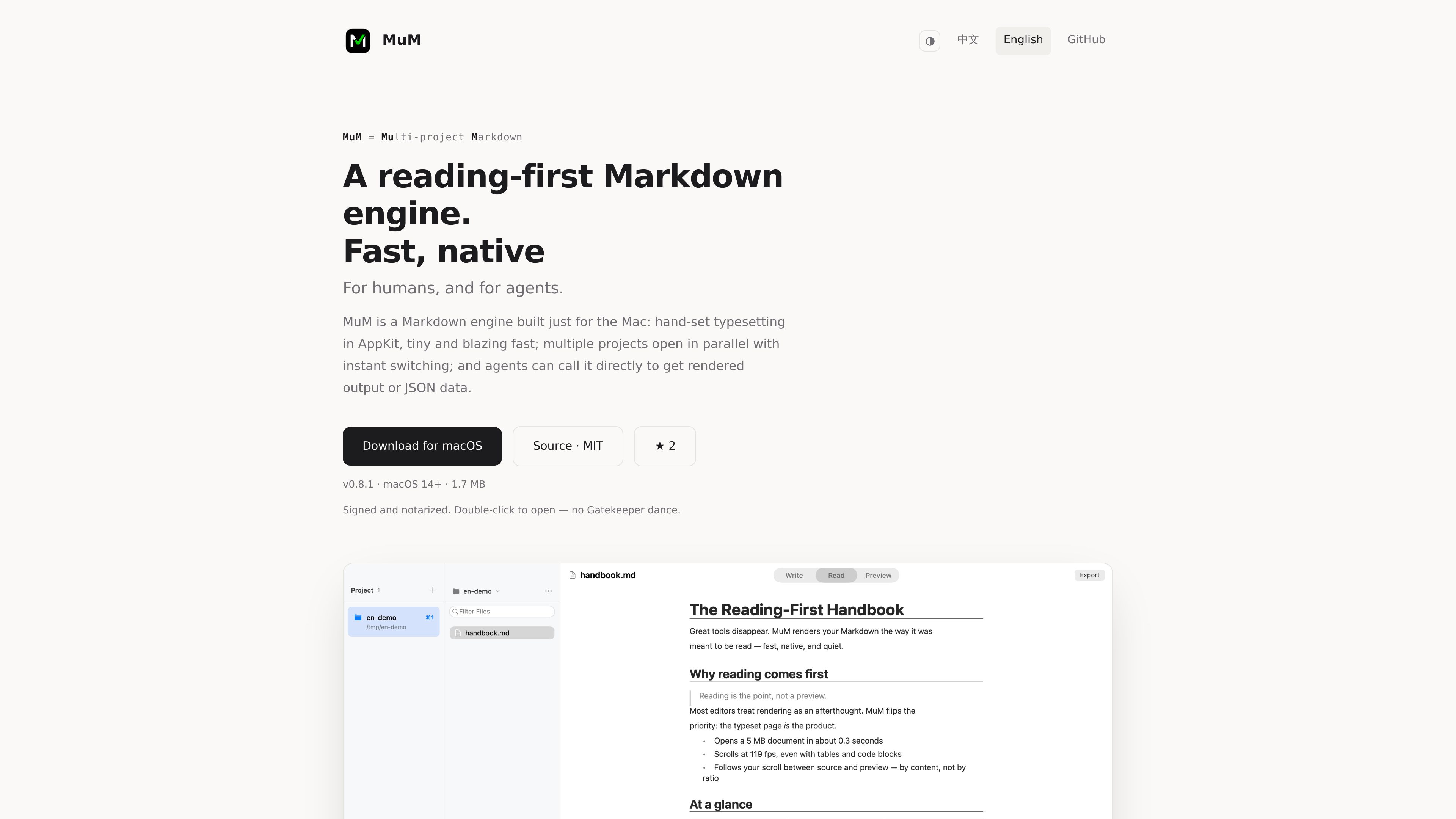
Multi-project workspace
Keep several projects open and switch among them with `⌘1` through `⌘9`; projects provide a clear context for the files being read.

MuM è un motore Markdown per macOS pensato innanzitutto per la lettura. Include un lettore AppKit realizzato su misura, navigazione tra progetti, ricerca nei documenti, strutture a outline ed esportazione PNG/PDF. Gli strumenti da riga di comando eseguono il rendering dei documenti e restituiscono JSON strutturato per i workflow degli agenti.
MuM is a reading-first Markdown engine built around a hand-written AppKit typesetting system rather than embedded web engines. It is designed for reading and navigating documents across multiple projects, while also providing file management, search, export, and support for several common document and media types.
The same rendering engine is available without a window through the mum command-line interface. CLI commands can render Markdown to PNG or PDF and can emit outlines, search results, and checks as stable JSON with classified exit codes, making the tool suitable for scripted and agent-driven workflows.
Keep several projects open and switch among them with `⌘1` through `⌘9`; projects provide a clear context for the files being read.
MuM remembers reading position and provides document find, outline navigation, and reading-history controls using `⌘F`, `⌘⇧O`, and `⌘[`/`⌘]`.
Fuzzy-find files by name with `⌘P`, or search file names and contents across every project with `⌘⇧F`; results stream as they are found.
Line height, punctuation compression, and mixed-script spacing are tuned for Chinese and mixed-language text. The current document can be exported as a tall PNG or paged PDF, with document page-break hints preserved in the output.
The reader supports code highlighting, CSV and TSV tables, RTF, images, PDF, and SRT/VTT subtitles. Office files receive a page directing them to the system’s default application.
`mum render` uses the same typesetting engine, including CJK spacing, code highlighting, and reading themes, to generate PNG or PDF output without opening a window. `outline`, `search`, and `check` can emit stable JSON with exit codes from 0 through 4.
Open multiple folders as projects, switch between them with keyboard shortcuts, and use cross-project filename or content search when the location of a document is unclear.
Use remembered reading position, in-document find, and outline navigation to return to a document and move between sections without treating it as a one-off text preview.
Export a Markdown document as a tall PNG for a continuous image or as a paged PDF. Page-break hints in the source can control where PDF pages break.
Use the CLI to render Markdown in a script or agent workflow, then consume outline, search, and check results as JSON instead of parsing human-oriented prose.
Read Markdown alongside code, tables, subtitles, PDFs, images, and RTF files. For Office documents, use MuM’s handoff page to open the file in its default application.
MuM is a reading-first Markdown engine with an AppKit desktop reader and a command-line renderer for PNG or PDF output and structured document operations.
Yes. Double-clicking a lone file opens single-file mode, where the sidebars fold away for reading and the containing folder is not added as a project.
The documented examples show `mum render` generating PNG output and `mum outline` returning JSON. The `outline`, `search`, and `check` commands emit stable JSON and classified exit codes.
Yes. The desktop export command can create a tall PNG or a paged PDF from the current document. The CLI is also described as rendering directly to PNG or PDF.
The product site states that MuM has no accounts and no telemetry. A plugin store is also not part of the documented product experience.

stempad.com
Stempad è un editor scientifico basato su browser per note, documenti e flussi di lavoro tecnici, con strumenti per matematica, grafici, chimica, codice, disegno, esportazione, collaborazione e AI.
velofiler.vercel.app
VeloFiler is a keyboard-first, dual-pane file manager for macOS that handles local files and SSH/SFTP locations in the same workflow. It combines previews, grid browsing, editing, notes, transfers, and cloud-folder access for file-intensive development and content work.

superthread.com
Superthread è uno spazio di lavoro per team con attività, progetti, documenti e note delle riunioni.