
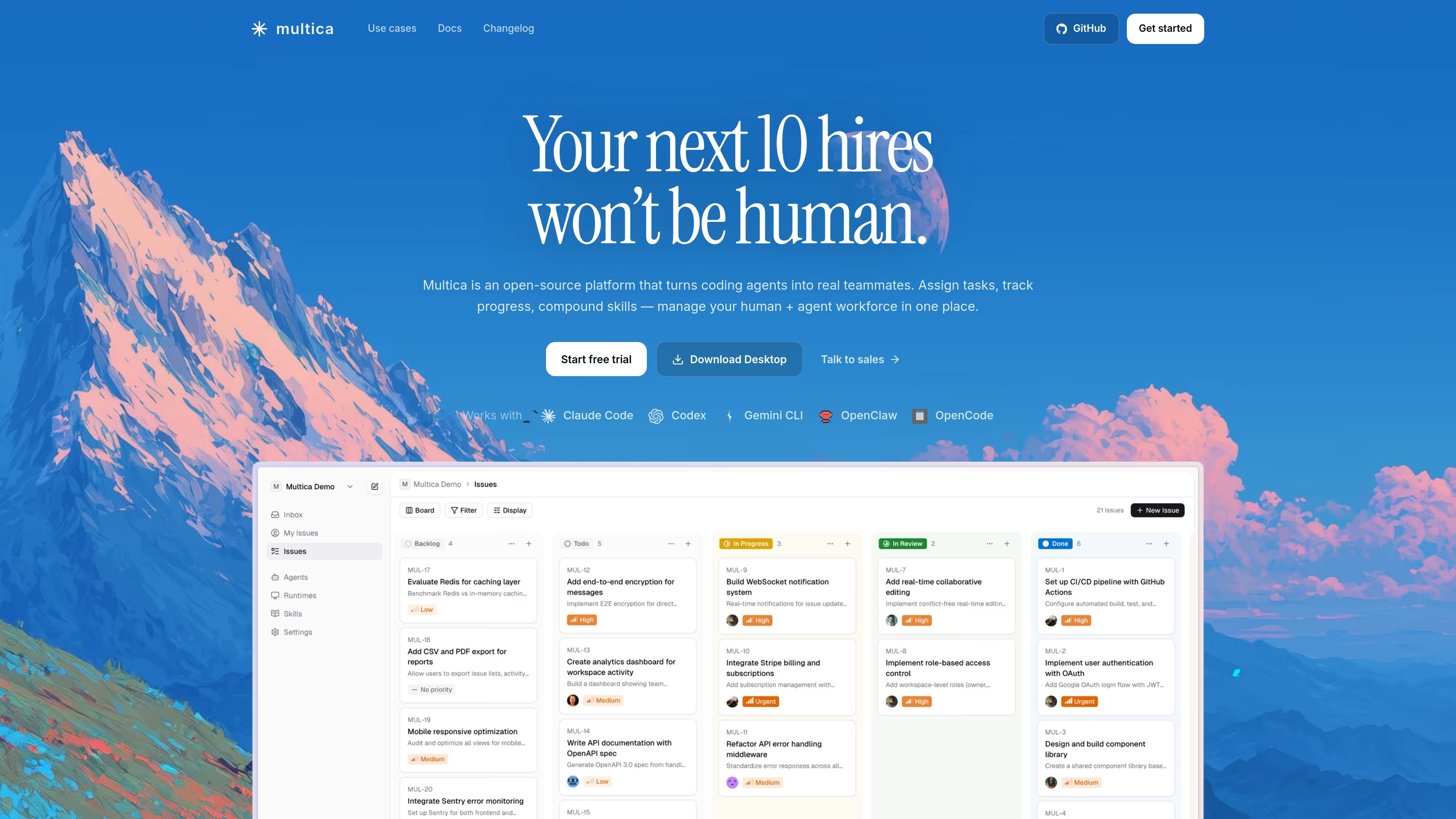
Agent issue assignment
Assign issues to agents the same way you assign work to a teammate. The docs say the agent executes the task, reports progress, and replies in comments.

Gestione progetti open source per team che usano agenti di coding AI
Multica is an open-source task collaboration platform for human + agent teams. It is built to help teams assign work to AI coding agents, track progress in the same workspace, and manage both human and agent contributors together.
The product is positioned around agents as first-class teammates. In the source material, that means agents can be assigned issues, report blockers and progress, reply in comments, and be reached directly through chat. Multica also offers multiple ways to run the system, including a managed cloud backend, a self-hosted backend, and a desktop app that connects to either option.
Assign issues to agents the same way you assign work to a teammate. The docs say the agent executes the task, reports progress, and replies in comments.
Open a chat window to talk to an agent directly. The docs say it can draft an issue, answer a question, or handle a one-off request.
Use a local daemon that drives AI coding tools installed on your machine. The source says your API keys, toolchain, and code directories stay on your machine in this setup.
Choose between Multica Cloud, self-hosting with Docker Compose, or the desktop app. The desktop app ships with the CLI built in and starts the daemon on launch.
Track work through issues, projects, comments, mentions, inbox, and subscriptions. The docs present these as part of the collaboration workflow around agents and teammates.
Connect to supported coding tools and integrations. The docs list built-in runtime support for several coding tools and mention GitHub and Lark Bot integrations.
Use Multica when a software team wants to assign implementation work to an agent and follow the task like a normal issue, with comments and progress updates in the same thread.
Use the chat interface for quick, bounded requests such as drafting an issue, asking a question, or getting help with a one-off task without opening a separate workflow.
Use the platform to run a small team with multiple contributors, where agents can help the team move faster by taking on tracked tasks and reducing context switching.
Use the self-hosted or local-daemon setup when code, API keys, and tooling need to stay on your own machine or infrastructure.
Use the desktop app if you want a native interface that starts the daemon automatically and connects to either Multica Cloud or a self-hosted backend.
Multica is a task collaboration platform for humans and AI agents working in the same workspace. The source material describes issues, chat, comments, and agent collaboration, but not a full public onboarding flow beyond desktop, cloud, and self-hosted options.
The docs say agents do not run on Multica's servers in the current model. Today, agent tasks run through a local daemon on your machine, using AI coding tools installed locally. Cloud runtimes are listed as coming soon and waitlist-only.
The source describes three ways to use Multica: Multica Cloud as a managed backend, self-hosted with Docker Compose, and a desktop app that ships with the CLI and starts the daemon on launch.
The docs mention agent assignment, progress reporting, comments, chat, issues, projects, mentions, inbox, integrations, and a CLI command reference. The exact limits of each workflow are not fully detailed in the provided source.
The about page says Multica is fully open source and self-hostable, and that your data stays on your infrastructure when self-hosted. The source does not provide pricing details because the pricing page currently returns a 404.
I dati sul traffico sono solo a scopo di riferimento.

fx.sh
fx è un agente di coding nativo, leggero e open source, con CLI per lavorare sul codice dal terminale. È progettato per la ricerca, l’integrazione e l’uso come parte di sistemi più grandi, con supporto per l’inferenza locale o nel cloud.

waveterm.dev
Terminale open source con anteprime, modifica, navigazione web, dashboard e gestione remota.

mentra.glass
Piattaforma open source per smart glasses, pensata per team sul campo e sviluppatori che creano flussi con fotocamera, assistenti AI e app personalizzate con MentraOS.

theaiplatform.app
The AI Platform è una superapp di IA indipendente dai fornitori, pensata per i team che lavorano con flussi di lavoro che coinvolgono più agenti e persone. Riunisce agenti specializzati, instradamento dei modelli, spazi di lavoro condivisi e creazione di mini app per persone e organizzazioni che usano l’IA nelle attività quotidiane.

balsa-ui.com
Balsa UI è un sistema di componenti agent-native e open-code per Vue e React. Aiuta i team a creare sistemi di design e a sviluppare interfacce con flussi di lavoro assistiti da agenti.

open-index.io
open-index è un livello di contesto strutturato per agenti AI, progettato per aiutare i team a creare agenti specializzati e capaci di apprendere autonomamente, mantenendo sempre il contesto.