
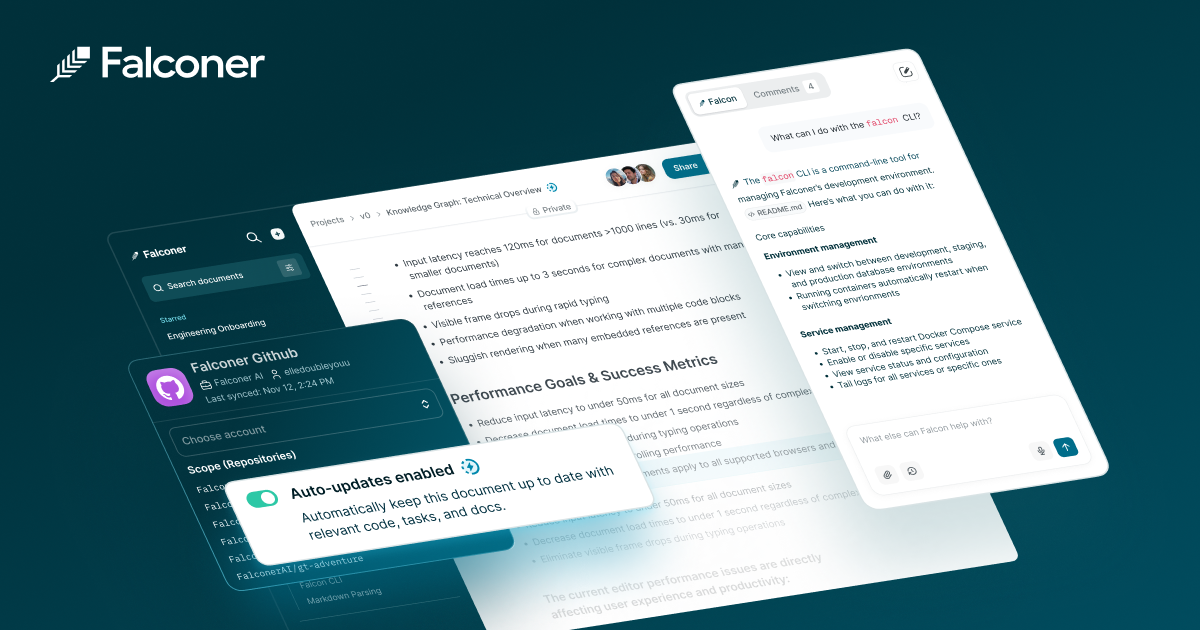
Multi-source integrations
Connect GitHub, Slack, Linear, and other tools so Falconer can pull in the context teams already use. The integrations page also lists Notion, Confluence, Google Drive, Google Workspace, Gmail, Zendesk, and Granola.

Falconer è il cervello aziendale basato sull’AI che mantiene la documentazione interna accurata, aggiornata e ricercabile sincronizzandosi con GitHub, Slack e Linear, creando una fonte condivisa per codice, documenti e conoscenze.
Falconer is an AI-powered company brain for teams that need internal documentation and code context to stay accurate as they work. It connects to tools such as GitHub, Slack, and Linear, then uses that connected context to help teams write, find, and maintain knowledge in one place.
The product is positioned as a source of truth for fast-moving engineering organizations, but the customer stories show use beyond engineering as well. Payabli describes engineering, marketing, sales, and HR using Falconer to keep documentation current, reduce repeat questions, and move away from scattered docs in Confluence, Drive, and Slack.
Connect GitHub, Slack, Linear, and other tools so Falconer can pull in the context teams already use. The integrations page also lists Notion, Confluence, Google Drive, Google Workspace, Gmail, Zendesk, and Granola.
Keep documentation current as source material changes. The product and customer pages describe Falconer’s agent updating docs automatically instead of leaving pages to drift out of date.
Ask questions and manage docs from Slack or the web app. Falconer is positioned as a shared place where people can look things up without switching away from their existing workflow.
Organize documentation automatically and generate doc sets. The pricing page also mentions an AI-powered writing editor and one-click doc organization.
Use Falconer with automations through MCP API and webhooks. The pricing page lists these developer-facing hooks alongside the Starter tier.
Choose deployment and identity options for larger organizations. Enterprise includes SSO, SAML, white-glove migration, self-hosted options, and custom usage limits.
Use Falconer as a central place for engineering documentation that should stay aligned with the codebase as products change. The source pages emphasize accurate, searchable docs that update as work moves forward.
Replace scattered Confluence, Drive, and Slack knowledge with a single internal source of truth. Payabli’s story shows Falconer being used to consolidate documentation that had previously been hard to find and harder to keep current.
Let teams ask questions in Slack and get answers from connected documentation instead of interrupting a colleague. The product pages call out Slack access as part of the everyday workflow.
Help non-engineering teams contribute to and rely on the same knowledge base. Payabli’s story specifically mentions marketing, sales, HR, and finance using Falconer once the shared system was in place.
Use Falconer with editing workflows and automations for documentation upkeep. The pricing page mentions MCP API, webhooks, and a writing editor, while the customer story references drafting and updating docs through connected tools.
Falconer connects to tools like GitHub, Slack, Linear, Notion, Confluence, Google Drive, Google Workspace, Gmail, Zendesk, and Granola. The source material also mentions import and sync workflows across these systems, but does not document a universal setup process in detail.
The site describes Falconer as a shared company brain for engineering documentation and knowledge, with examples that extend to engineering, support, marketing, sales, finance, and HR use. Its core emphasis is on teams that need accurate, searchable internal knowledge that stays current as work changes.
Falconer is designed to keep documentation accurate and up to date by syncing with connected tools and the codebase. The product pages describe asking questions in Falconer or Slack, writing docs in Falconer, and using integrations plus the agent to maintain current information.
The pricing page lists a free Starter plan, a Pro plan billed per user, and an Enterprise option with custom pricing. Enterprise adds features such as SSO, SAML, white-glove migration, self-hosted options, and priority support, but the source does not provide every pricing detail beyond those headings.
I dati sul traffico sono solo a scopo di riferimento.

heidihealth.com
Heidi è un partner di cura basato sull’IA per i professionisti clinici e unisce documentazione, evidenze citate e acquisizione remota in un unico flusso di lavoro.

zread.ai
Zread è una wiki del codice con IA per esplorare repository GitHub, con ricerca guidata, documentazione multilingue, analisi dell’architettura e accesso MCP e CLI.

www.bookmarx.co
Bookmarx è uno strumento basato sull’IA per raccogliere conoscenze e riflettere sui segnalibri di X (Twitter). Ti aiuta a riassumere, cercare, esplorare in chat e ritrovare i post salvati senza cambiare il modo in cui aggiungi segnalibri su X.

tettra.com
Base di conoscenza interna con IA per team in Tettra o Slack

helpkit.so
HelpKit trasforma i documenti Notion in un help center o sito di documentazione clienti ospitato, con ricerca, analisi, widget e chatbot AI opzionale.

pickle.com
Memoria personale basata sull’IA che collega Gmail, Notion e Slack per chat ed esperienze con personaggi.