
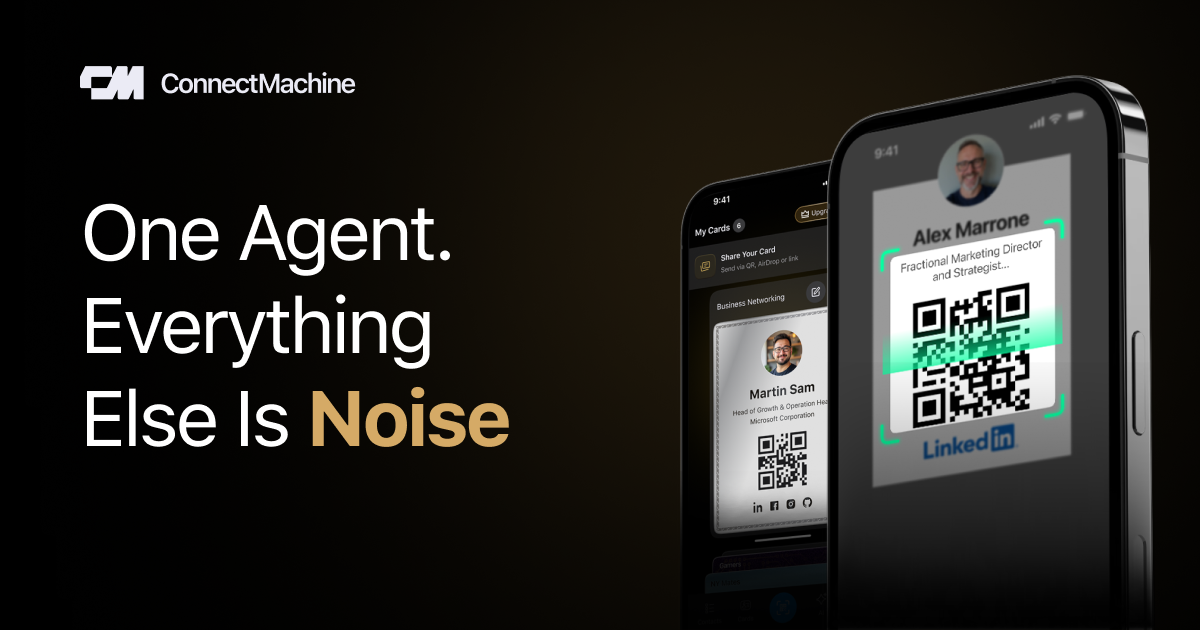
Private digital cards with field-level control
Create multiple virtual cards and control which fields are visible in each context, so you can share only the details that are relevant.

ConnectMachine è un biglietto da visita digitale e gestore dei contatti basato sull’IA per fare networking in modo privato e ricercabile. Condividi dati selezionati, scansiona biglietti cartacei e interroga la tua rete in linguaggio naturale.
ConnectMachine is an AI-powered digital business card and contact manager built for people who want to exchange details, store context, and revisit relationships without relying on public social feeds. It combines virtual cards, business-card scanning, note capture, and a private AI agent that can recall who you met, when you met them, and what mattered.
The product is positioned around selective sharing and personal control. Users can create multiple cards for different contexts, share them through QR code, link, NFC, AirDrop, or Apple Wallet, and export contacts to CSV. The docs and help pages also describe natural-language querying, AI notetaking, and concierge-style scheduling and search for a network that stays private and searchable.
Create multiple virtual cards and control which fields are visible in each context, so you can share only the details that are relevant.
Scan physical business cards and turn them into searchable contacts without manual typing. The docs describe point-and-capture capture with review and save steps.
Ask questions about people, places, events, and meetings in plain language. The agent can return answers or trigger actions such as scheduling and sharing.
Record conversations and attach notes to a contact so the context of a meeting is stored alongside the person you met.
Share cards through QR code, link, NFC, AirDrop, or Apple Wallet, and send information without requiring the recipient to install the app.
Use assistant-style tools to schedule, search, and manage contacts and calendar context, with support for preference-based meeting windows and booking workflows.
Create separate cards for work, VIP contacts, or personal networking so each audience sees only the details you want to share.
Scan a paper business card at an event and store the contact with notes, making it easier to remember where you met and what you discussed.
Ask the agent questions like who you met, where you met them, or what follow-up matters without searching manually through your contact list.
Use assistant-style scheduling and preference settings to propose meeting times that fit your availability and location constraints.
Manage a shared team rollout with centralized billing, seat assignment, and premium access for members.
You can create a card by downloading the app, signing up, and following the guided setup flow. The docs also describe creating a first card from a template and adding it to Apple Wallet or Google Wallet for easier access.
Yes. The docs say you can create multiple virtual cards and choose what each one shows, which supports different contexts such as work, friends, or other groups.
Yes. The homepage says recipients can save your details by scanning your QR code or using your share link, and they do not need the app to view or save the card.
Yes. The homepage and help pages say you can export contacts to CSV, under settings > Export Contacts.
The site says a team plan is available with centralized billing, seat management, and premium access for all members.
I dati sul traffico sono solo a scopo di riferimento.

unifygtm.com
Unify è una piattaforma di vendita outbound basata sull’AI per rappresentanti e team GTM, che combina agenti, dati B2B, segnali e sequenze in un unico workflow basato sulla chat. Aiuta a ricercare prospect, creare liste, arricchire contatti e avviare più rapidamente le attività di outreach.

origami.chat
Origami è una piattaforma di prospecting basata sull’AI che trasforma una descrizione del cliente in linguaggio naturale in un elenco di lead qualificati e li trasferisce nelle attività di outreach su LinkedIn e via e-mail. È pensata per vendite, recruiting, founder e agenzie che cercano dati più aggiornati dei database statici.

fellow.ai
Fellow è un assistente per riunioni basato sull’IA che registra, trascrive, riassume e organizza le riunioni dei team. Offre controlli sulla privacy, archiviazione centralizzata, aggiornamenti CRM e generazione dei follow-up.

getswan.com
Swan è un ingegnere GTM basato sull’IA per workflow di ricavi agentici.

oppora.ai
Oppora AI automatizza le vendite outbound: aiuta i team a trovare lead, arricchire i dati dei contatti, inviare messaggi personalizzati, gestire le risposte e sincronizzare con un CRM le attività qualificate. Riunisce prospezione e follow-up in un unico flusso, pensato per founder, piccoli team, agenzie e operatori.

caret.so
Caret è un assistente per riunioni basato sull’AI che fornisce risposte in tempo reale durante le chiamate, ti aiuta a prepararti con il contesto di calendario, email e CRM e automatizza le attività di follow-up dopo le riunioni.