
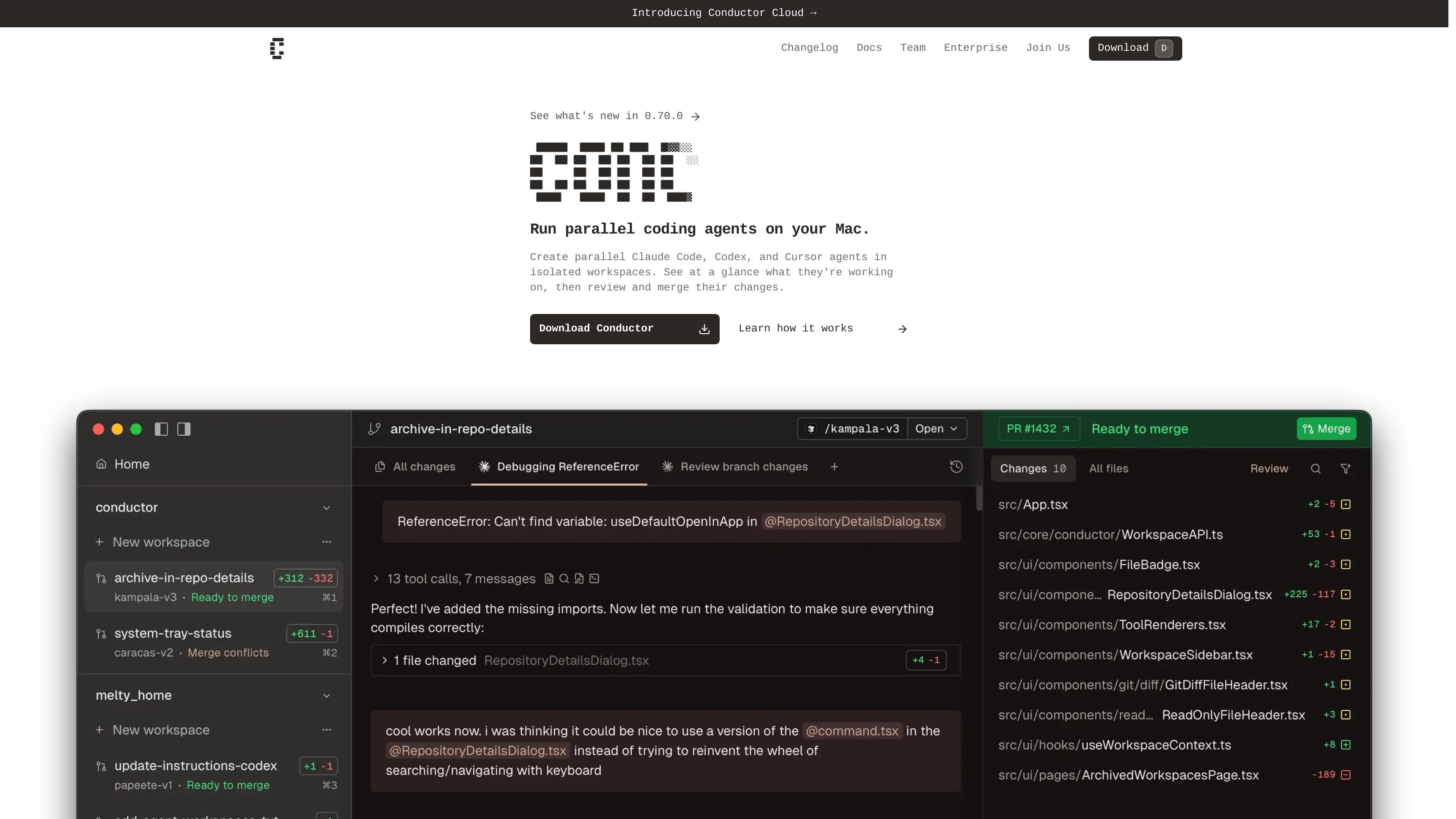
Isolated task workspaces
Create isolated workspaces for coding agents so each task can run in its own git worktree without interfering with others.

Conductor è un’app per Mac che esegue in parallelo gli agenti Claude Code, Codex e Cursor in workspace isolati, così gli sviluppatori possono delegare attività, rivedere i diff e unire il lavoro localmente.
Conductor is a Mac app for running multiple coding agents in parallel across isolated workspaces. It is designed for people who want to delegate separate tasks to Claude Code, Codex, and Cursor while keeping each task’s files, terminal, diff, and review path separated.
The product’s core workflow is straightforward: add a repository, let Conductor create a workspace for each task, watch the agents work, and then review the resulting diff before merging or archiving the workspace. The site positions Conductor as an interface for managing your coding agents rather than as another standalone model provider.
Create isolated workspaces for coding agents so each task can run in its own git worktree without interfering with others.
Run Claude Code, Codex, and Cursor in parallel to split up work across multiple agents.
See what each agent is doing at a glance, including which workspace needs attention and which changes are ready to review.
Review changes, open a pull request, merge, and archive completed work from the same workflow described in the docs.
Keep work on your Mac while Conductor clones the repo and operates locally on your machine.
Use enterprise privacy mode to disable external AI features at the user or repo level when needed.
Split a repository into separate tasks and let multiple agents work at once without sharing a workspace.
Keep terminal output, diffs, and file changes contained while an agent handles a focused bug fix or refactor.
Review each agent’s changes before merging, so a human can check the diff and decide what ships.
Adopt the tool in an organization that needs local control over code and the option to disable external AI features.
Yes. The homepage says each workspace is a new git worktree, and the docs describe each task as having its own workspace, branch, files, terminal, diff, and review path.
Conductor supports Claude Code, Codex, and Cursor. The homepage says users can ask for other agents by email.
Conductor uses Claude Code however you are already logged in. If you are logged into Claude Code with an API key, Conductor uses that; if you are signed in with Claude Pro or Max, it uses that too.
Yes. The enterprise page says you can enable enterprise privacy mode at the user level in Settings -> Privacy or at the repo level with `enterprise_data_privacy = true` in `.conductor/settings.toml`.
The pricing URL currently returns a 404 page, so the public site does not show pricing details on that page.
I dati sul traffico sono solo a scopo di riferimento.

superset.sh
Superset è uno strumento desktop per eseguire in parallelo più agenti di coding AI sul proprio computer. Permette agli sviluppatori di separare il lavoro in Git worktree isolati, rivedere le modifiche e far avanzare le attività senza aspettare un agente alla volta.

hoplite.sh
Hoplite è una piattaforma di agenti di programmazione che eseguono attività in ambienti di sviluppo isolati e possono aprire pull request al termine del lavoro. È pensata per i team che vogliono delegare agli agenti le attività sui repository, con feedback e approvazioni in tempo reale.

apps.mergeable.io
Diffsmith è un’app nativa per macOS che consente di rivedere le modifiche git locali apportate da agenti di programmazione AI come Claude Code, Cursor, Codex e Copilot. Aggiungi commenti inline e inviali all’agente come prompt o tramite un server MCP locale.

www.agentconnect.md
AgentConnect consente ai team di integrare agenti ACP come Claude Code, Codex e Gemini CLI in Slack, Telegram, Discord e GitHub, così possono occuparsi di attività negli stessi canali in cui i team collaborano già. È open source e ospitabile in autonomia, con ruoli, strumenti, memoria e trigger configurabili per i workflow degli agenti.

www.coolplugz.com
CoolPlugz è un livello di orchestrazione per Claude Code che raccoglie il contesto, esegue flussi di lavoro strutturati e aiuta a completare attività di programmazione con meno supervisione costante. È pensato per gli sviluppatori che vogliono ridurre i cambi di contesto tra Jira, GitHub, Slack, Notion e CI.

oomol.com
OOMOL collega Gmail, GitHub e Notion agli agenti AI per riutilizzare gli strumenti autorizzati in Codex, Claude Code e Cursor, con piani gratuiti, a pagamento e a consumo.