
Cross-tool transcript search
Search sessions from multiple AI coding tools in one ranked result list instead of checking each assistant separately.

Indicizza le trascrizioni degli strumenti di coding con AI in un unico storico consultabile e rimuove le credenziali prima della sincronizzazione. Aiuta sviluppatori e team a riprendere il lavoro, rivedere le decisioni passate, trovare problemi di sicurezza e condividere il contesto del progetto tra assistenti.
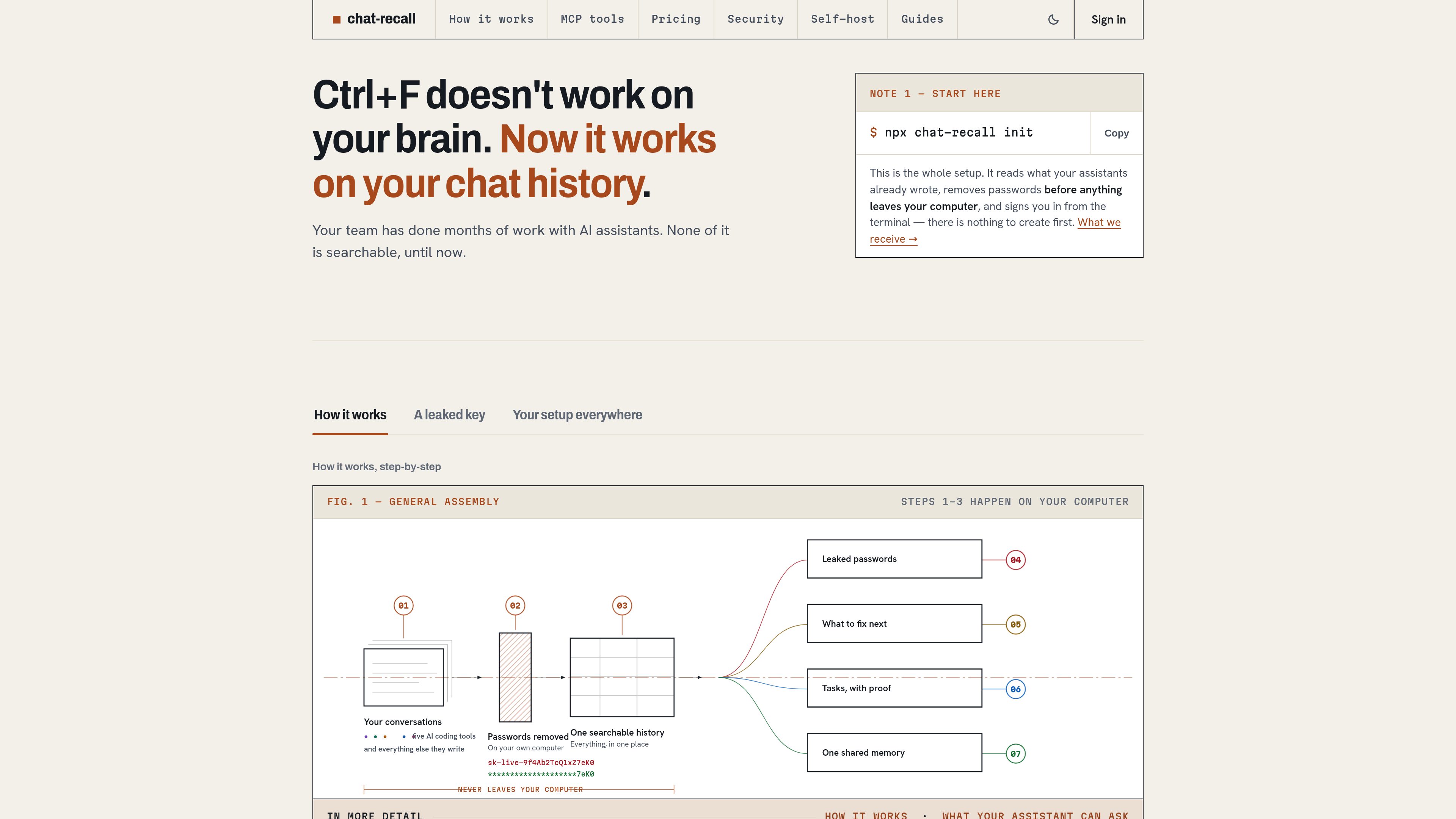
chat-recall is a memory and search layer for AI coding tools. It reads the conversations, plans, task lists, notes, and shell history that those tools already store, indexes them into one searchable history, and lets assistants retrieve relevant context through an MCP server. It is intended for developers and teams that work across multiple AI coding assistants and need to resume work without manually rebuilding context.
Setup starts from the terminal with npx chat-recall init. The CLI finds supported AI coding tools on the machine, configures their MCP connections, and reads existing transcripts. Credential redaction happens on the user's hardware before data is sent for indexing; the source describes support for standard cloud keys, authentication tokens, private keys, connection strings, and custom patterns.
Search sessions from multiple AI coding tools in one ranked result list instead of checking each assistant separately.
The MCP server exposes tools for searching sessions, resuming work, inspecting context, querying the knowledge graph, and reading security findings inside the assistant conversation. A fresh installation registers 28 tools by default, with 63 available through the full profile.
The index can return project findings, dependencies, risks, decisions, and changes over time, helping users trace why a technical choice was made.
chat-recall detects supported credentials in historical sessions, reports whether a key was found and whether it still works, and groups occurrences across conversations. Users can add custom detection patterns.
Findings can become tasks with a proposed fix, while task cards retain the originating session, changed files, commits, outcome, and any point where the assistant ran out of context.
CLI rules can exclude projects, tools, or source folders; create allowlists; delete remote sessions; and inspect active rules. Project settings, skills, and MCP configuration can also be distributed across team machines on supported plans.
A developer can search prior sessions or use assistant recall to continue a partially completed task in a different AI coding tool without restating the earlier reasoning.
After signing in, a developer can access the indexed history and configured add-ons without manually copying transcripts between computers.
A team can review detected keys in its AI history, see occurrences and current validity, and apply exclusions or deletion rules when particular sources should not sync.
Developers can review ranked code findings and task cards that link back to the conversation, files, and commits responsible for the work.
Teams can keep shared project history, assign work, use a task board, and control which projects remain private until explicitly shared.
Run `npx chat-recall init` from the terminal. The CLI indexes existing transcripts and configures supported AI coding tools for MCP access.
The CLI redacts credentials before synchronization, and the raw transcript is processed locally before the indexing stage. Users can exclude projects, tools, or folders, create allowlists, decline sources, or delete synced sessions through the CLI.
Yes. Its MCP server lets an assistant call recall, search, knowledge-graph, and security tools from within the conversation. The assistant can retrieve relevant past sessions and project context when needed.
Yes. The pricing page lists a free self-hosted tier for one person, including the full feature set, and a self-hosted team option. Hosted Solo and Team plans are also available, with a seven-day trial that does not require a card.
The pricing page states that chat-recall does not train on user sessions.
I dati sul traffico sono solo a scopo di riferimento.

www.docusmart.eu
DocuSmart AI è uno strumento di ricerca documentale e knowledge base per organizzazioni non profit e della società civile. Indicizza i file di Google Drive, OneDrive e Dropbox, così i team possono fare domande in inglese semplice e ricevere risposte corredate da citazioni tratte dai propri documenti.

slack.com
Piattaforma di lavoro con IA per comunicazione, automazione e collaborazione del team

so.csdn.net
CSDN搜索 è una pagina di ricerca per sviluppatori con fonti tecniche, strumenti e risorse formative.

diabrowser.com
Dia è un browser di lavoro nativo dell’IA che usa schede e strumenti collegati per creare risposte, briefing e contenuti pronti per le presentazioni. Disponibile su macOS; Windows in arrivo.

neobrowser.ai
Norton Neo è un browser nativo dell’IA che combina ricerca, assistenza conversazionale e sicurezza Norton, con controllo della cronologia locale e connessioni opzionali a Gmail e Calendar.

findabl.app
Findabl è una piattaforma di intelligence sulle citazioni AI che monitora se ChatGPT, Gemini, Perplexity e Claude citano il tuo brand o i concorrenti. Aiuta i team a misurare la visibilità nell’AI, individuare le lacune e dare priorità alle azioni.