
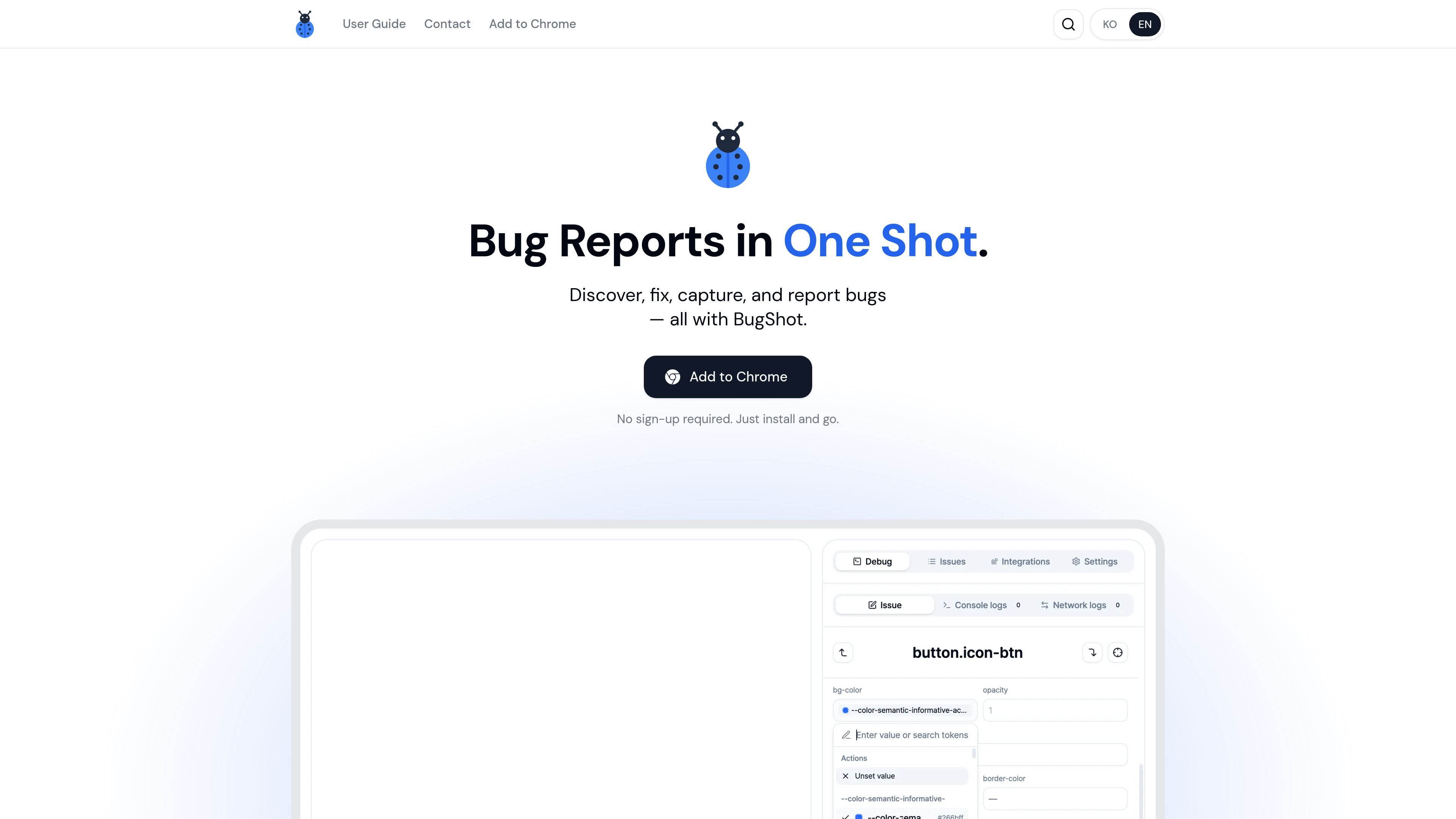
Inspect and edit styles in the browser
Inspect any element on the page to see its applied styles and attributes, then use the visual editor to change styles directly in context.

BugShot è uno strumento di segnalazione dei bug basato su Chrome che consente di esaminare, modificare, catturare e segnalare i problemi dal browser. Aiuta i team QA, design e engineering ad aggiungere contesto e inviare i report a Jira, GitHub, Linear e Notion.
BugShot is a Chrome-based bug reporting tool that combines inspection, style editing, capture, replay, and issue filing in one browser workflow. The product is positioned for people who need to review UI changes, document bugs, and hand them off with enough context for developers to act on them.
From the collected pages, BugShot focuses on reducing the handoff between discovery and reporting. Users can click an element to inspect styles and attributes, edit CSS visually or with AI assistance, record interactions or replay the last 30 seconds, and generate a structured report before sending it to an external tracker.
Inspect any element on the page to see its applied styles and attributes, then use the visual editor to change styles directly in context.
Describe a design or UI change in plain language and BugShot uses AI to rewrite the CSS, with before-and-after comparison on the page.
Record a live session or capture the last 30 seconds from always-on replay so a bug can be documented even after it was noticed.
Turn captured evidence into a structured bug report with steps, expected behavior, and actual behavior.
Bundle browser, resolution, DOM context, console errors, network activity, and action logs with the report so the issue is easier to reproduce.
Send the captured report and attachments to Jira, GitHub, Linear, Notion, GitLab, Asana, ClickUp, and Slack from the integrations flow.
Designers and product reviewers can click elements, inspect the current styles, and make quick visual edits before sharing the issue with the team.
When a bug is intermittent or already happened, a user can rely on live recording or the last-30-seconds replay to preserve what occurred.
Developers can file reports with console errors, network activity, DOM context, and action logs attached so the likely cause is visible sooner.
Teams that work in Jira, GitHub, Linear, Notion, GitLab, Asana, or ClickUp can send captured issues into their existing tracker without switching tools.
QA and support teams can draft a report with expected and actual behavior already structured, then submit or share it as needed.
Yes. The homepage says BugShot is completely free and requires no sign-up; users install it from the Chrome Web Store and start reporting immediately.
The homepage presents BugShot as a Chrome add-on and says to add it to Chrome, so Chrome is the supported browser shown in the source. The site does not list other browsers in the collected text.
BugShot can draft reports with AI after you capture a bug. The homepage does not spell out the exact inputs required beyond captured data and the report draft flow.
The integration docs explicitly mention Jira, GitHub, Linear, Notion, GitLab, Asana, ClickUp, and Slack. The homepage also references Jira, GitHub, Linear, and Notion.
The collected pages mention capturing browser, resolution, DOM context, logs, video, and issue data, but they do not provide a detailed policy on retention or handling. For that, the source points to documentation, which was not fully available in the collected text.
I dati sul traffico sono solo a scopo di riferimento.

aside.com
Aside è un browser basato sull’AI che svolge attività su siti web con sessione attiva, account, cronologia del browser e file locali. Aiuta con ricerche, comunicazioni, procedure legate agli account e altre attività svolte nel browser.

readpdfoutloud.com
Read PDF Out Loud è un lettore PDF basato sul browser che legge i documenti con una voce naturale evidenziando ogni parola. È pensato per articoli di ricerca, report, libri e PDF con equazioni, figure, tabelle e layout a due colonne.

isheji.com
爱设计 è una piattaforma di design basata su browser per modelli di poster, grafiche social, visual per e-commerce e altro, con modifica online, salvataggio cloud e abbonamenti separati per download e uso commerciale.

glims.io
Glims trasforma immagini, clip e design Figma in showreel, GIF e video direttamente nel browser.

www.conscioussai.com
ConscioussAI è un assistente di esecuzione AI per macOS, Windows, iOS e Android. Con il tuo permesso, aiuta a usare app, browser, file, messaggi e flussi di lavoro, trasformando istruzioni e conversazioni in attività completate su telefono e computer.

www.bzgapps.com
Coherence X turns websites into standalone macOS apps powered by Chrome and other supported Chromium-based browsers. It is designed for Mac users who want separate Dock-accessible apps, browser profiles, extensions, and link behavior for web services.