
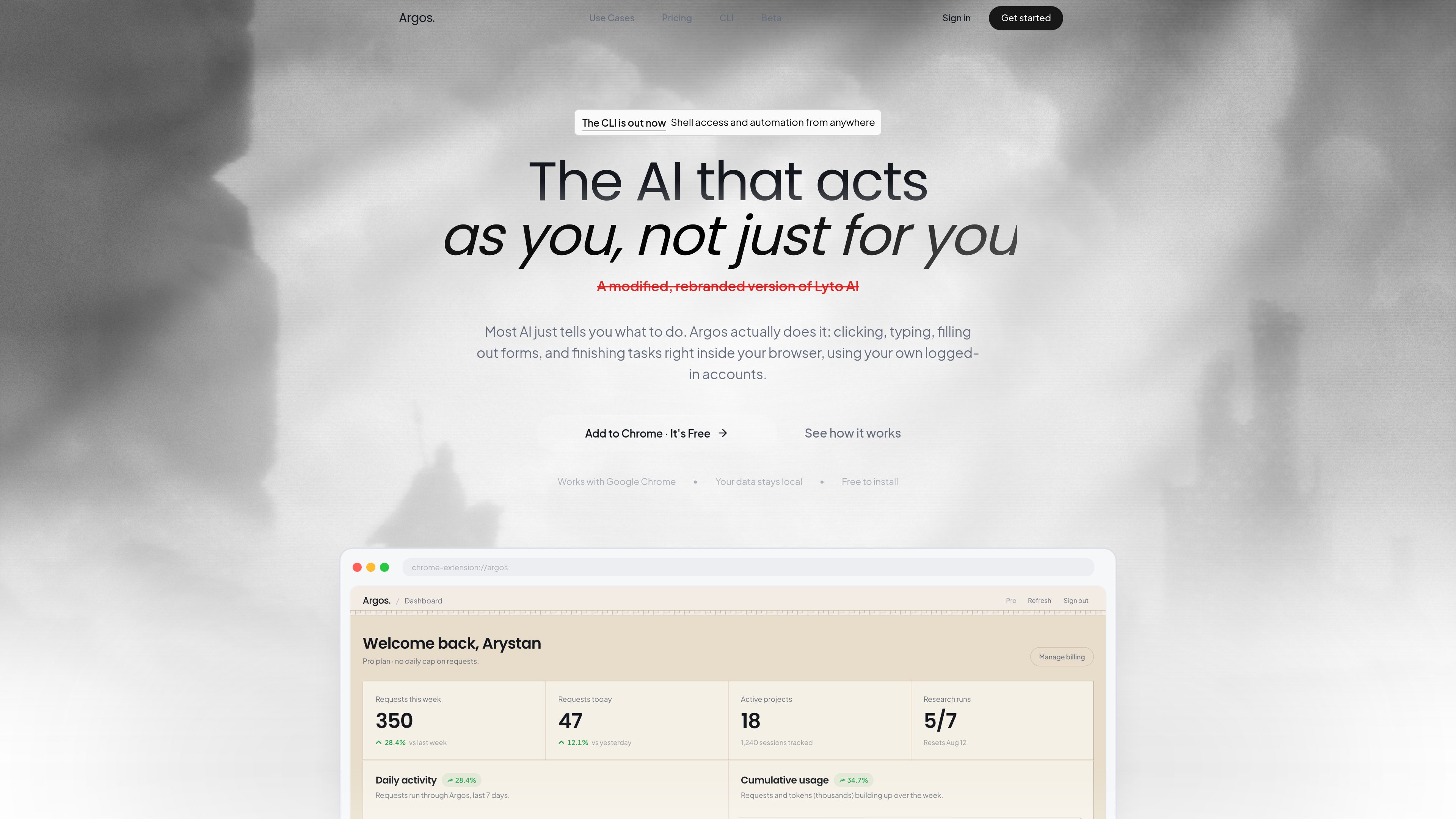
Direct browser interaction
Argos operates on live web pages, opening tabs, scrolling, clicking, and filling out forms in the browser rather than working in a detached chat window.

Argos è un’estensione di Chrome e uno strumento di automazione per desktop e browser che consente di aprire schede, compilare moduli, fare ricerche e completare attività nel browser con sessione attiva. Include anche una CLI eseguibile in locale e controllabile tramite Telegram.
Argos is a Chrome extension and desktop automation tool that helps users complete browser-based work inside their own logged-in accounts. It is designed to click, type, scroll, fill forms, open tabs, and finish tasks directly on the page instead of only suggesting what to do.
The product also includes a CLI for local-machine automation. That mode pairs a desktop agent with shell access and a real browser profile, and the site says it can be controlled from Telegram or from the browser extension, with output such as files and reports sent back when the task is done.
Argos operates on live web pages, opening tabs, scrolling, clicking, and filling out forms in the browser rather than working in a detached chat window.
The homepage says the agent can handle tasks in real time while the user watches, or continue working in the background and return a finished result later.
The product says it works with Google Chrome and uses the user’s own logged-in accounts, so it can act within existing sessions instead of starting from scratch.
The CLI runs on the user’s machine with access to the shell, files, and installed tools, which supports more general local automation beyond browser clicks.
The CLI page says users can text their computer from Telegram in plain language, receive files back in chat, and monitor work from anywhere.
The homepage highlights use inside Gmail, Google Docs, and Google Sheets for drafting email, writing documents, and turning raw data into spreadsheets with charts.
Users can ask Argos to gather information from websites, LinkedIn, news, and company pages, then compile a short briefing before a call or writing session.
The site gives examples of scanning company sites and pulling pricing or comparison data into a report or table, which is useful for prep work that normally requires repeated tab switching.
Inside Gmail and Google Docs, Argos can draft messages or documents and help format them in the user’s own account, which fits recurring communication and writing tasks.
The CLI page shows a workflow where the agent sorts downloads into project folders and returns the result, which is useful for housekeeping on a personal computer.
With the desktop agent online, a user can send a command from Telegram and have the computer execute it, then return files or status back through chat.
Argos acts inside Chrome to open tabs, scroll, click, type, fill forms, and complete tasks on live pages using the user’s own browser session.
No. The site also describes an Argos CLI that runs on a local computer with shell access and a logged-in browser, and it can be controlled from Telegram.
Yes. The homepage says it can handle tasks in real time or continue working in the background while the user is away.
The homepage specifically calls out Google Chrome, Gmail, Google Docs, and Google Sheets. The CLI page also mentions Telegram as a way to send commands.
No. The pricing URL provided in the audit returns a 404 page, so no plan names, prices, or limits can be confirmed from the supplied evidence.
I dati sul traffico sono solo a scopo di riferimento.

browseros.com
BrowserOS è un browser AI open source con agenti locali per automatizzare le attività web tramite istruzioni in linguaggio naturale. Supporta macOS, Windows, Linux, estensioni Chrome e integrazioni MCP.
www.clarkchat.com
Clark Labs offre Clark Agent per il lavoro web autonomo basato sul cloud e Clark Code per attività di coding locali o basate su SSH. La piattaforma include anche un gateway API compatibile con OpenAI per chiamare i modelli Clark o instradare modelli all’avanguardia tramite Clark.

superset.sh
Superset è uno strumento desktop per eseguire in parallelo più agenti di coding AI sul proprio computer. Permette agli sviluppatori di separare il lavoro in Git worktree isolati, rivedere le modifiche e far avanzare le attività senza aspettare un agente alla volta.
aipy.app
AiPy è un assistente AI desktop che combina il ragionamento AI e l’esecuzione di Python per le attività locali, con download per Mac, Windows e Linux e distribuzione locale open source.

apps.mergeable.io
Diffsmith è un’app nativa per macOS che consente di rivedere le modifiche git locali apportate da agenti di programmazione AI come Claude Code, Cursor, Codex e Copilot. Aggiungi commenti inline e inviali all’agente come prompt o tramite un server MCP locale.

agentgrid.sh
AgentGrid è un'app desktop per gestire più agenti AI su un'unica canvas infinita, con terminali, browser, note e strumenti di codice nello stesso spazio di lavoro. È pensata per gli sviluppatori che vogliono orchestrare visivamente attività parallele degli agenti su macOS, Windows e Linux.