
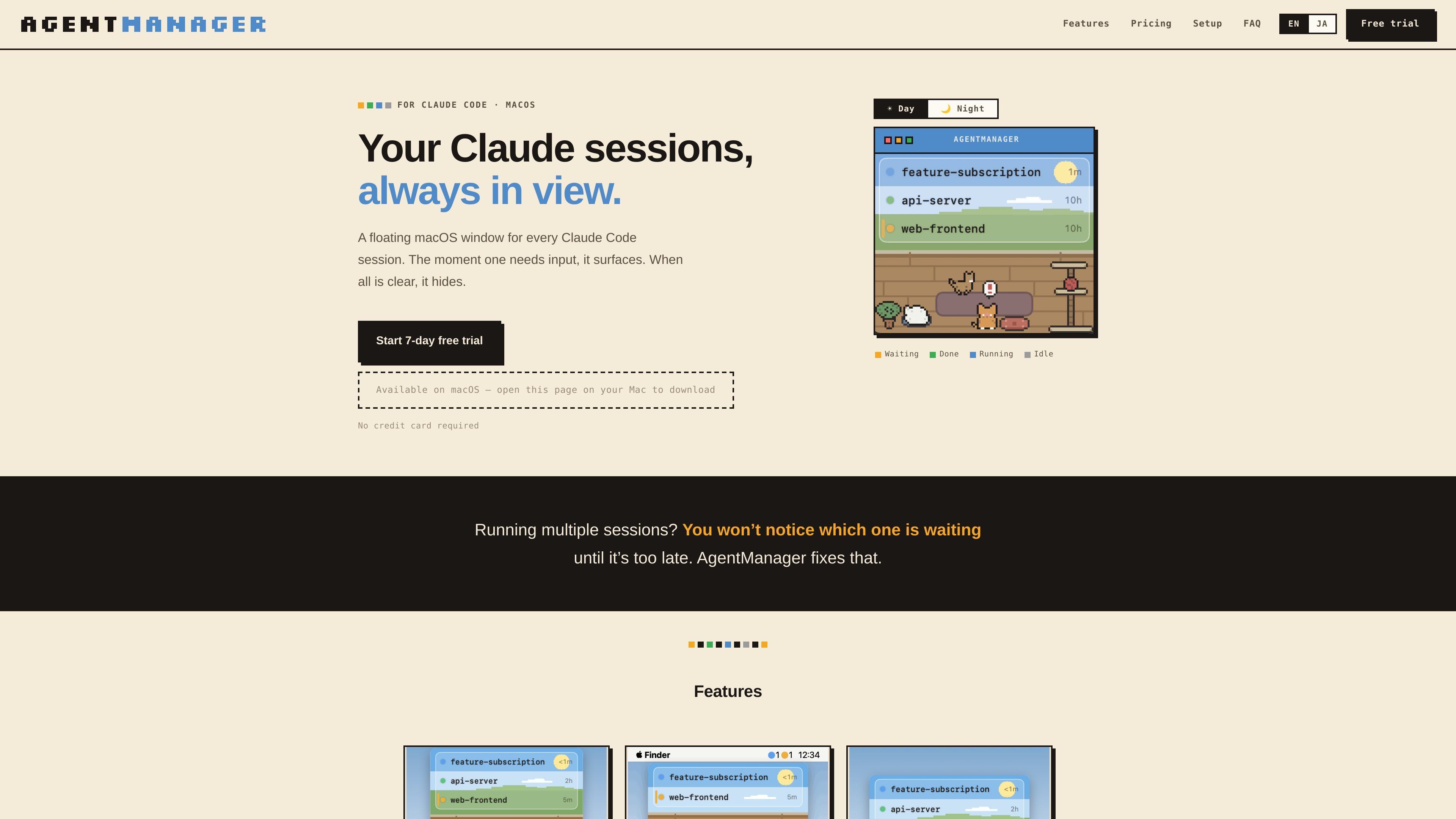
Status at a glance
Shows which sessions are running, waiting for input, done, or idle, plus how long each has been in that state.

AgentManager è un'app per macOS che consente di monitorare le sessioni di Claude Code in una finestra mobile. Ti aiuta a individuare quelle che richiedono attenzione e a tornare al terminale o al contesto IDE corretto.
AgentManager is a macOS app for Claude Code sessions. It keeps a floating window for your sessions so you can see when one is waiting, running, or finished without constantly checking the terminal.
The app is built for people who run multiple Claude sessions and need a clearer way to notice when one requires input. It uses Claude Code hooks to detect sessions automatically, then shows a window, menu-bar status, and jump controls for moving back to the right terminal or IDE context.
Shows which sessions are running, waiting for input, done, or idle, plus how long each has been in that state.
Brings the window forward as soon as any Claude session needs input, then hides it again when everything is clear.
Lets you click a session row to jump to the right pane, tab, or project window depending on the host app.
Supports keyboard-first control with a configurable window toggle and navigation for switching between sessions.
Displays status counts as colored dots in the menu bar so you can check activity without opening the window.
Includes optional cat sound alerts, a day/night pixel-art cat room, and a simple mode that hides the illustration for a list-only view.
Useful when you keep several Claude sessions open and need to see which one is waiting for input without checking each terminal manually.
Helps when you step away from the keyboard: the window appears when a session needs input, and the cat alert can notify you even if you are not watching the screen.
Supports workflows where Claude Code is launched from a terminal or IDE and you want to jump back to the exact pane, tab, or project window quickly.
Works for users who prefer keyboard-driven control and want to toggle the window, navigate sessions, and jump without using the mouse.
AgentManager is designed for macOS 13 Ventura or later and requires Claude Code (the claude CLI) to be installed.
Detection works in any terminal because it uses Claude Code hooks. Jump behavior varies by app: it can jump precisely to panes or tabs in iTerm2, Terminal, and Ghostty, and it can jump to the project window in supported IDEs such as VS Code, Cursor, Android Studio, and JetBrains IDEs.
No special permissions are needed for session detection. Jumping may require Automation permission for iTerm2, Terminal, or Ghostty, and Accessibility permission for Android Studio and similar IDEs. Some apps, including VS Code, Cursor, Zed, Warp, kitty, WezTerm, and Alacritty, do not require additional permissions for jumping.
During onboarding, AgentManager registers a Claude Code hook in ~/.claude/settings.json and creates a .bak backup first. After that, every Claude session appears automatically in the list.
Yes. The app offers a 7-day free trial with all features unlocked and no credit card required. After the trial, pricing on the homepage shows monthly and annual paid plans.
I dati sul traffico sono solo a scopo di riferimento.

www.tryport22.com
port22 è un’app iOS e un agente macOS per monitorare e controllare le sessioni degli agenti di coding in esecuzione nel terminale. Trasmette le trascrizioni su iPhone, avvisa quando serve un input e supporta Claude Code, Codex e OpenCode.

valpere.github.io
session-indexer è uno strumento per sviluppatori ospitato su GitHub che indicizza in SQLite le trascrizioni delle sessioni di Claude Code e consente di cercarle semanticamente. È pensato per recuperare la cronologia JSONL per progetto, con FTS5 come alternativa quando la ricerca basata su embedding non è disponibile.

tablo-cat.netlify.app
tablo è un widget desktop a forma di gatto che monitora le sessioni di Claude Code e OpenAI Codex dall’angolo dello schermo. Mostra in tempo reale l’uso del contesto, le richieste di autorizzazione, le notifiche e l’attività di ogni sessione.

blackflare.dev
BlackFlare è un’app per la barra dei menu di macOS, pensata per Claude Code e Codex, che mantiene attive le sessioni, invia notifiche al termine o quando serve un input e mostra l’utilizzo. Può inoltrare gli avvisi a Telegram o Slack e modificare i valori predefiniti senza editare manualmente i file di configurazione.

evlat.kalaomer.com
Evlat is a quiet macOS status strip for monitoring Claude Code, Codex, and Antigravity sessions, plus long-running commands. It highlights sessions that need your response and shows activity from local or SSH-connected machines.

omlx.ai
oMLX è un server di inferenza LLM nativo per macOS basato su MLX, che esegue localmente su Apple Silicon modelli compatibili linguistici, visione-linguaggio, embedding e reranker. Progettato per i flussi di lavoro con agenti di programmazione, funziona con Claude Code, OpenClaw, Cursor e client compatibili con OpenAI.