
Multiple starting points
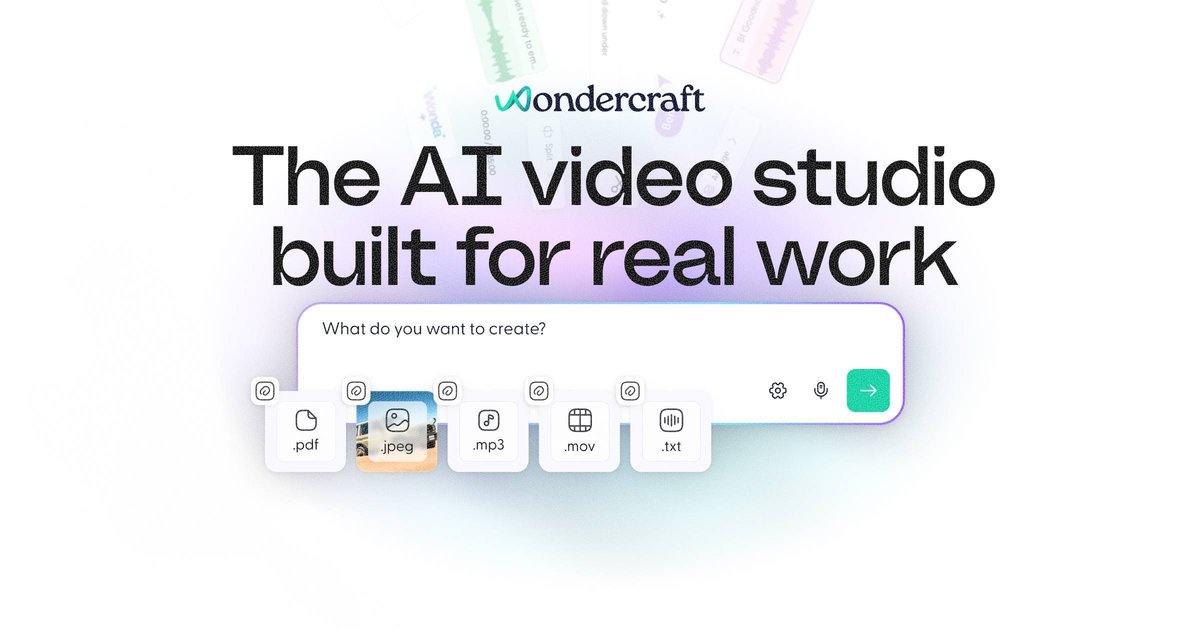
Create videos from prompts, scripts, URLs, podcasts, PDFs, images, or your own audio, then open the result in Wondercraft Studio for refinement.

Wondercraft est un studio natif de l’IA pour créer des vidéos, podcasts et contenus audio grâce à des workflows guidés et un éditeur intégré.
Wondercraft is an AI-native video studio that combines generation, editing, and publishing workflows in one place. The site positions it as a tool for creating business-ready videos, podcasts, and other audio or visual content by chatting with AI and then refining the result in a real editor.
The product brings together multiple AI creation tools, including video generation, text-to-speech, voice cloning, avatars, image-to-video, and text-to-video. Rather than exposing these as isolated tools, Wondercraft organizes them into guided workflows for tasks such as training, onboarding, product explainers, promotions, and internal communications.
Create videos from prompts, scripts, URLs, podcasts, PDFs, images, or your own audio, then open the result in Wondercraft Studio for refinement.
Generate clips and B-roll with AI motion rather than static slideshows, with an editor-ready result you can adjust on a timeline.
Edit on a real timeline with drag, trim, layering, captions, text, stickers, shapes, backgrounds, music, voiceovers, and AI-generated sound effects.
Add voices and avatars, with support for 140+ languages and accents on the video generator page and a beta avatar workflow for presenters.
Use AI voice cloning to create a personal voice clone for narration, dubbing, and versioning, or use the TTS tool for lifelike speech from text.
Upgrade into team workflows with collaboration, branded share pages, concurrent generations, and enterprise controls on higher plans.
Teams can turn training materials, onboarding docs, or internal policy content into video lessons with AI-generated visuals, captions, and voiceover.
Marketers and product teams can draft explainers, launches, and promos from scripts, PDFs, or existing assets, then refine the edit in Studio before publishing.
Creators and publishers can generate podcast-style audio, then use text-to-speech or voice cloning to produce narration, alternate versions, or translated variants.
Teams that already have raw footage can upload it and use Wonda to create highlight reels, add branding, captions, and polish the cut.
Businesses that need distributed publication can export standard MP4s in multiple resolutions and aspect ratios or share via link and branded video pages.
Yes. The pricing page shows a Free plan for individuals with 150 credits and limited access to AI models, plus upgrade paths for more capacity and premium features.
Yes. The Creator plan includes API access, and the site also has a dedicated API section that says generation, models, and editing can be integrated via API.
Yes. The site describes the studio as a real editor with timeline, canvas, layouts, captions, branding, resizing, layers, and export tools inside Wondercraft Studio.
Wondercraft says videos open in Wondercraft Studio after generation, where you can preview, edit, and create variations before exporting or publishing.
The AI video generator page says exports are available in standard MP4 formats with multiple resolutions and aspect ratios, and the pricing page notes up to 720p on Free and 4K upscaling on Pro.
Les données de trafic sont fournies à titre indicatif uniquement.

wizstar.com
Wizstar est une plateforme de création vidéo par IA qui transforme textes, images, scripts, fichiers audio, liens de produits et vidéos de référence en vidéos, publicités pour des produits, contenus traduits, images et clips animés par un avatar. Conçue pour les créateurs, vendeurs en ligne, spécialistes du marketing, enseignants et équipes d’entreprise, elle permet de produire et d’adapter des vidéos sans tournage ni montage avancé.

media.io
Plateforme IA en ligne pour créer et modifier des vidéos, images et fichiers audio

videogen.io
Générateur et éditeur vidéo IA dans le navigateur pour créer rapidement des vidéos courtes ou longues.
www.buzzy.now
Buzzy AI est un moteur vidéo professionnel conçu pour créer des vidéos IA de longue durée, notamment des films et des publicités. Ses workflows visent à préserver la cohérence des scènes et à les rendre modifiables, avec un contrôle de la génération plus structuré qu’un simple outil transformant un prompt en clip.

www.hyperdream.co
Un studio de réalisation cinématographique basé sur l’IA qui accompagne les projets de l’écriture du scénario au casting, au storyboard, à la génération de vidéos cinématographiques, au montage et à l’exportation. Conçu pour les cinéastes indépendants, créateurs de contenu, spécialistes du marketing, scénaristes et studios qui veulent produire des vidéos avec un flux de travail structuré.

openart.ai
An AI creation studio for generating and editing images, video, characters, worlds, music, and audio.