
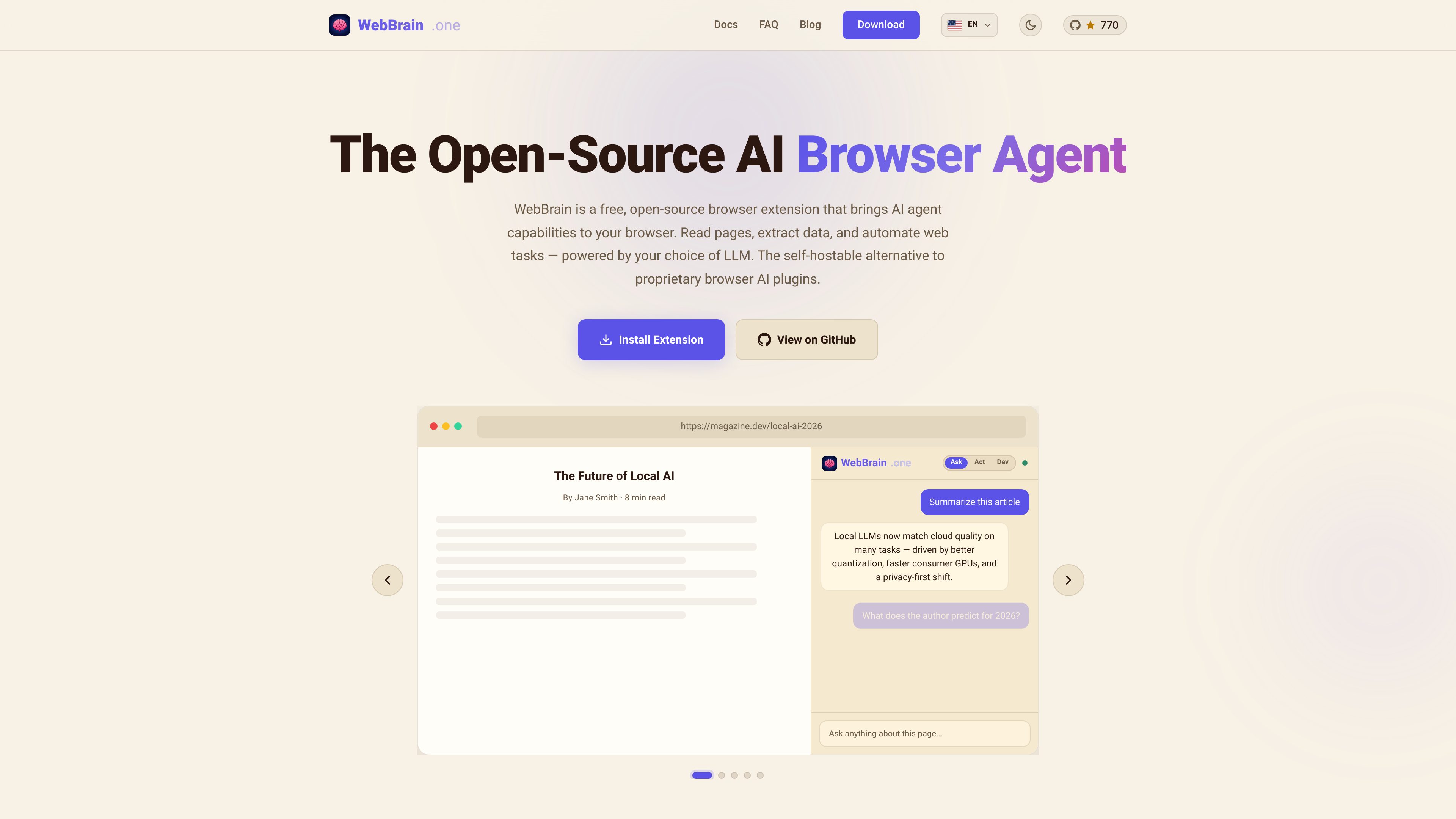
Page understanding
Reads articles, docs, dashboards, and forms, then answers questions based on the current page content.

WebBrain est une extension de navigateur gratuite et open source qui apporte des capacités d’agent IA à Chrome, Firefox et Edge. Elle lit les pages, extrait des données et automatise les tâches du navigateur avec le fournisseur de LLM de votre choix, y compris des modèles locaux.
WebBrain is a browser extension that adds AI agent features to your browser sidebar. It can understand pages, answer questions from the current content, extract structured data, and automate tasks such as clicking, typing, scrolling, and navigating.
The product is designed as a free, open-source alternative to proprietary browser AI tools. It supports Chrome, Firefox, and Edge, and the docs say it works with multiple LLM providers, including local models that can run entirely on your machine.
Reads articles, docs, dashboards, and forms, then answers questions based on the current page content.
Clicks, types, scrolls, navigates, and interacts with pages on your behalf for repetitive or multi-step browser work.
Extracts tables, lists, links, and form data from web pages and can work with PDFs as well.
Works with local llama.cpp setups, OpenAI, Claude, and OpenRouter, so users can choose the model and deployment style they prefer.
Supports local LLM use for reduced data leakage and is described as open-source with no telemetry, tracking, or accounts required.
Uses smart context management to reduce token overflow, starts in read-only Ask Mode by default, and asks before consequential actions.
Open a page in the browser and ask for a summary or a direct answer from the visible content, without copying text into another tool.
Use natural language prompts to pull names, prices, addresses, links, or other structured fields from a page, including PDFs.
Let the agent click through pages, fill forms, scroll, and navigate when a workflow requires multiple browser actions.
Run WebBrain with a local LLM when you want browser assistance without sending page content to a cloud model.
Use profile autofill for saved plaintext details so the agent can move through simple sign-up flows more quickly, while keeping the feature off by default.
Yes. The site describes WebBrain as a free, open-source browser extension, and the FAQ says it is a free alternative to Claude's browser plugin.
The FAQ says WebBrain has versions for Chrome, Firefox, and Edge, with identical features across the Chrome and Firefox builds.
The product page says it works with local llama.cpp models, OpenAI, Claude, and OpenRouter. The docs also say you can connect any OpenAI-compatible API or run a local model.
It can read page content, answer questions, extract structured data, and automate browser actions such as clicking, typing, scrolling, and navigating.
Yes. The site says you can run it with a local model, and the docs describe local LLM use as a privacy-oriented option that can keep data on your machine. It does not claim fully offline use for every feature in every setup, so availability depends on the model and configuration.
Les données de trafic sont fournies à titre indicatif uniquement.

chat4data.ai
Chat4Data est une extension Chrome de scraping web par IA qui extrait des données structurées avec des prompts en langage naturel, prend en charge plusieurs pages et exporte en CSV, XLSX ou JSON.

harpa.ai
Extension Chrome et agent de navigateur combinant des modèles d’IA et l’automatisation web pour naviguer, rédiger, résumer et extraire des données.

pandaextract.com
Extension Chrome pour extraire des données structurées des sites web, avec exécution locale ou cloud.

oxylabs.io
Plateforme de données web avec proxies, API de scraping, outils de navigateur et jeux de données personnalisés pour l’IA, la recherche, l’e-commerce, le marketing et la sécurité.

fellou.ai
Fellou est un navigateur d’IA agentique dédié à la recherche approfondie, à l’automatisation du navigateur et aux tâches interapplications. Il propose une offre gratuite, des forfaits payants et des téléchargements pour Mac et Windows.

okaapps.com
Aye est un navigateur doté d’IA pour Mac et Windows qui délègue les tâches répétitives sur de vrais sites web, comme les téléchargements multimédias, les réponses aux e-mails d’assistance et les opérations sur les réseaux sociaux. Il planifie, agit et vérifie les résultats, tandis que les étapes sensibles restent soumises à l’approbation de l’utilisateur.