
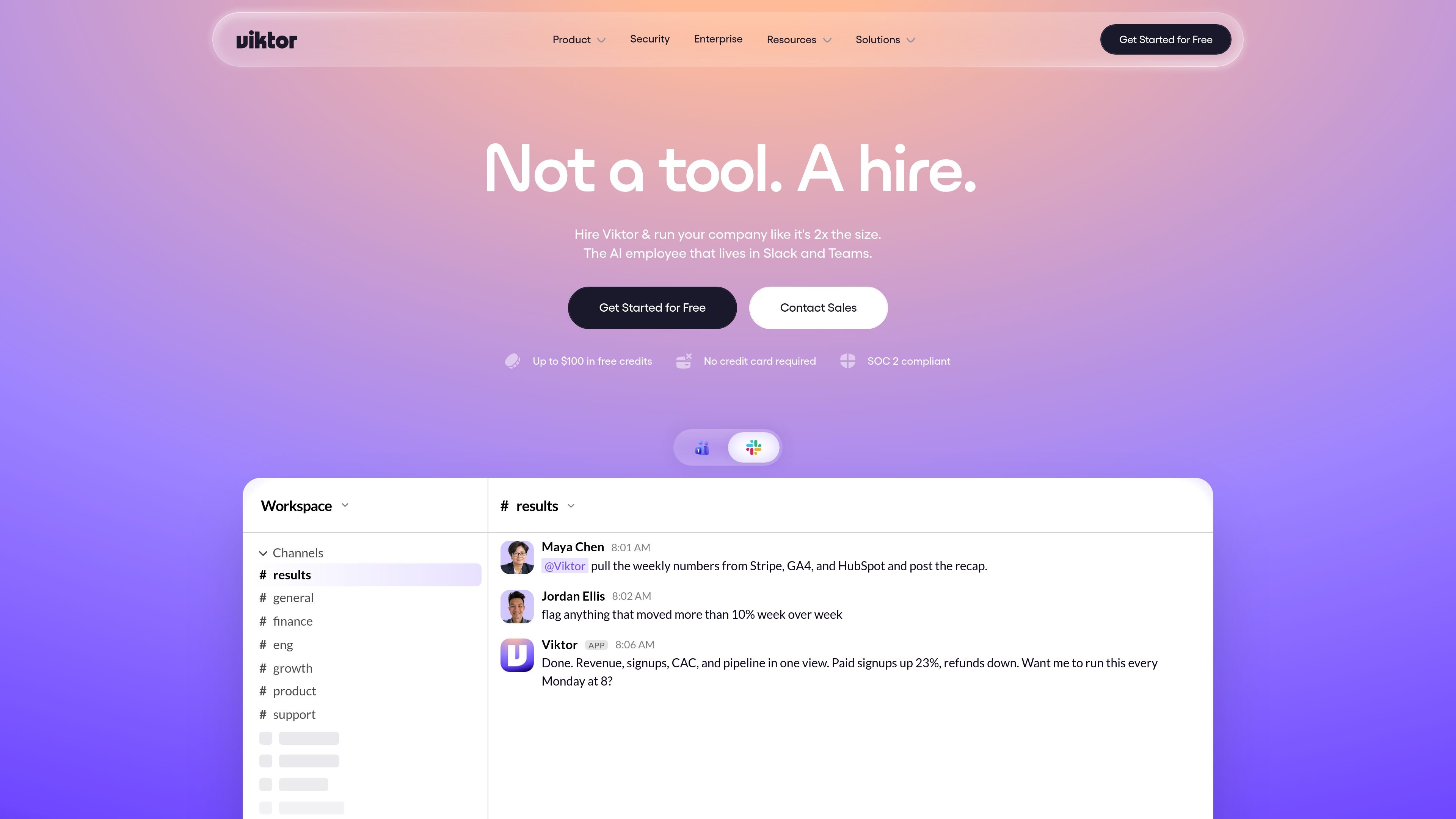
Native in Slack and Teams
Viktor lives in Slack and Microsoft Teams, so requests and results stay in the communication tools teams already use.

Viktor est un employé IA intégré à Slack et Microsoft Teams. Il se connecte à plus de 3 200 outils et exécute des tâches liées aux rapports, tableaux de bord, code et campagnes. Commencez avec des crédits gratuits, puis choisissez Team ou Enterprise.
Viktor is an AI employee that works inside Slack and Microsoft Teams and takes actions across connected business tools. The site positions it as something teams hire to do work such as reports, dashboards, code changes, campaign updates, support triage, onboarding tasks, and operational follow-up.
It connects to 3,200+ tools and is built around completed outputs rather than chat-only assistance. The product pages show Viktor pulling data from systems like Stripe, HubSpot, Google Analytics, Notion, QuickBooks, Zendesk, Linear, and GitHub, then returning artifacts such as recaps, drafted replies, updated pages, fixes, and documents when the target app supports them.
The pricing model is credit-based. The site says new users can start with $100 in credits without a credit card or sales call, then move to a Team plan or contact sales for Enterprise terms when they need more capacity or controls.
Viktor lives in Slack and Microsoft Teams, so requests and results stay in the communication tools teams already use.
The homepage and pricing page show Viktor connecting to 3,200+ tools and executing work across systems such as Stripe, HubSpot, Google Analytics, Notion, QuickBooks, Zendesk, Linear, and GitHub.
The pricing page highlights scheduled tasks and crons for reports, audits, and proactive check-ins, including recurring recaps delivered in-channel.
Viktor returns completed outputs such as reports, dashboards, code changes, drafts, tickets, docs, and PDFs when the connected apps support those artifacts.
The security page says sensitive actions wait for explicit approval, while admins can control integrations, pause users, and stop a running task.
The pricing and security pages describe workspace-scoped memory and persistent context so Viktor can remember preferences and previous decisions within a workspace.
Ask Viktor to gather figures from systems like Stripe, GA4, and HubSpot, then post a recap in Slack or Teams and keep it running on a schedule.
Use it to create or update onboarding work by provisioning accounts, creating tasks, booking intro meetings, and sending a welcome message.
Have Viktor reconcile invoices, flag unusual items, draft follow-up emails, and prepare month-end materials from finance systems.
Route support or feedback work into a triaged queue, merge duplicate tickets, draft replies, and open follow-up items in issue trackers.
Use it for engineering and growth work such as identifying a root cause, preparing a fix, pausing an underperforming campaign, or drafting new creatives.
Viktor is designed to work inside Slack and Microsoft Teams. The site also shows a one-click install path from inside Slack and a contact-sales flow for teams that want a personalized demo.
The pricing page says the free trial starts with $100 in credits and does not require a credit card or sales call. Paid usage starts when you are ready to upgrade.
The product pages show Viktor producing reports, dashboards, code changes, campaign actions, onboarding tasks, invoice reconciliation, and support triage. It is positioned to do the work in the connected tools rather than only returning text.
The security page says sensitive actions such as money movement, code pushes, and customer emails wait for explicit approval in Slack, and admins can disconnect integrations, pause users, or kill a running task.
The security page says Viktor uses encrypted vaults, OAuth-first connections where possible, and never trains on your data. It also lists SOC 2 Type 1, GDPR alignment, CCPA compliance, and CASA Tier 3 certification.
Les données de trafic sont fournies à titre indicatif uniquement.

www.agentconnect.md
AgentConnect permet aux équipes d’intégrer des agents ACP comme Claude Code, Codex et Gemini CLI à Slack, Telegram, Discord et GitHub, afin qu’ils puissent prendre en charge des tâches dans les canaux où les équipes collaborent déjà. La solution est open source et auto-hébergeable, avec des rôles, des outils, une mémoire et des déclencheurs configurables pour les workflows des agents.

www.coolplugz.com
CoolPlugz est une couche d’orchestration pour Claude Code qui rassemble le contexte, exécute des workflows structurés et aide à mener à bien des tâches de programmation avec moins de supervision constante. Elle s’adresse aux développeurs qui souhaitent limiter les changements de contexte entre Jira, GitHub, Slack, Notion et CI.

superagent.com
Hyperagent est une plateforme d’agents IA pour les équipes qui veulent gérer la recherche, la création et la livraison dans des workflows continus. Elle se connecte à Slack, Telegram, des webhooks ou des planifications et produit des sites web, tableaux de bord, présentations, documents et vidéos.

oomol.com
OOMOL connecte Gmail, GitHub et Notion aux agents IA pour réutiliser les outils autorisés dans Codex, Claude Code et Cursor, avec offres gratuite, payantes et à l’usage.

gradient.ai
Hyperagent est la plateforme d’agents IA de Gradient.ai qui transforme une consigne en sites web, tableaux de bord, documents, diapositives et vidéos, puis diffuse les résultats actualisés dans Slack, les boîtes de réception, Telegram et les webhooks.

agentgrid.sh
AgentGrid est une application de bureau qui permet de gérer plusieurs agents IA sur un canevas infini, avec terminaux, navigateurs, notes et outils de code dans le même espace de travail. Elle s’adresse aux développeurs qui orchestrent visuellement des tâches parallèles d’agents sur macOS, Windows et Linux.