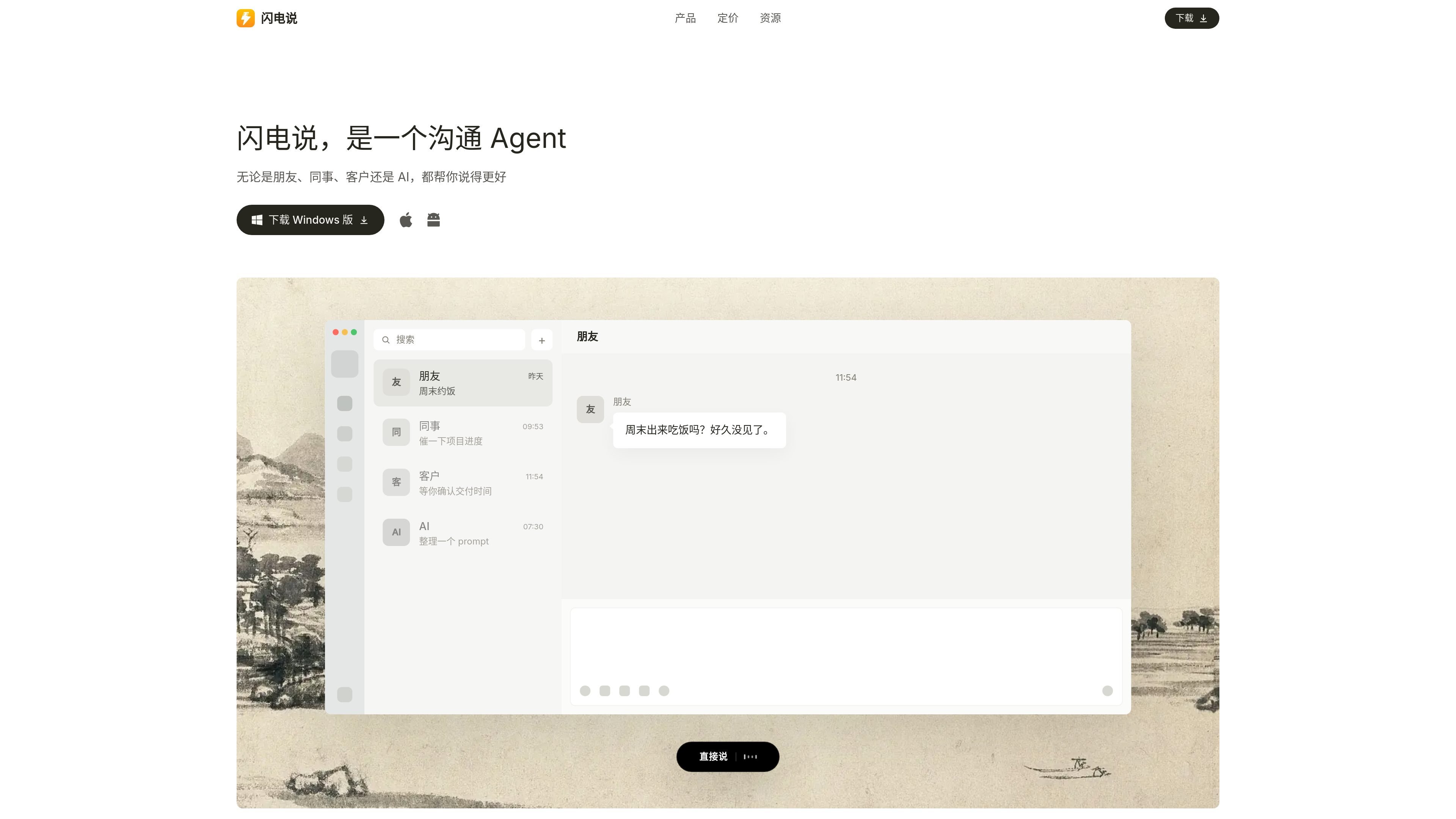
闪电说 est un Agent de communication et un outil de saisie vocale avec AI pour s’exprimer plus vite et naturellement dans les chats, e-mails, documents et autres champs de texte. Appuyez pour dicter ou maintenez la pression pour structurer vos réponses selon le contexte.
Shandianshuo is a communication Agent and also an AI voice input method. It puts "say it directly" and "help me say it" into the same workflow: a short press of the hotkey is used for voice input, while a long press is used to combine screen context, communication memory, and skills to organize a reply.
The product page emphasizes that it is not only about converting speech to text; it also organizes, corrects, and rewrites content based on the scenario so the result is clearer, more natural, and more appropriate. It is suitable for use in chat, email, documents, forms, customer service backends, and other input fields to help users complete everyday communication faster.
Que peut faire 闪电说 ?
01
Speak directly with a short press
After short-pressing the hotkey and speaking, Shandianshuo converts your voice into text and types it into the current input field; the documentation says it performs light error correction, adds punctuation, and organizes the text, making it suitable for input scenarios where you already know what you want to say.
02
Help me say it with a long press
After long-pressing the hotkey and stating your task goal, Shandianshuo combines screen context and memory to generate a reply or rewrite content that is suitable for sending. It is designed for "help me say it" rather than literal transcription.
03
Updating communication memory
Before replying, you can load the other person's communication memory, such as work preferences, expression habits, key points, and historical context; after communication, these memories continue to update.
04
Knowledge base and personal rules
The knowledge base supports content such as style, dictionaries, and common replies: style controls the level of refinement and tone, dictionaries are used for names and product names, and common replies and materials can be added to the knowledge base.
05
Complete the task first, then generate the reply
Skills do more than rewrite text: they can also execute tasks and then organize a reply after completion, such as requesting data, running code, calling tools, or adopting someone's expression style.
06
Input in common apps
It supports use in multiple input apps, and the page explicitly mentions scenarios such as WeChat, WeCom, DingTalk, Feishu, Qianniu, WhatsApp, browsers, email, DeepSeek, and terminals.
Cas d'utilisation
“Everyday chat replies”
When you receive a message in WeChat, Feishu, or WeCom, long-press the hotkey and let Shandianshuo combine the chat context and memory to help you organize a reply that can be sent directly.
“Work communication and customer service replies”
In email, comment sections, or customer service backends, first explain the task goal and tone requirements, then let Shandianshuo organize the content into a more complete and appropriate written expression.
“Fast voice input”
In documents, web forms, search boxes, or terminals, short-press the hotkey and dictate the content directly so the text goes into the current input field quickly.
“Consistent spelling for proper nouns”
When names, product names, English abbreviations, or industry terms are easy to misrecognize, add the standard spelling to the dictionary to reduce repeated speaking and later corrections.
“Smart replies with tasks”
When a reply needs data lookup, code execution, or tool use first, use a skill so Shandianshuo completes the task first and then organizes the result into a sendable reply.
Questions fréquentes
What do short press and long press do in Shandianshuo?
Shandianshuo supports short-pressing a hotkey to speak directly, and long-pressing a hotkey to let "help me say it" generate a reply you can send directly by combining screen context, memory, and skills. The getting-started page recommends first getting the model working, then testing the two core flows for short press and long press.
Where can Shandianshuo be used?
The official website says Shandianshuo can be used in chat, Feishu, DingTalk, WeCom, documents, email, comment sections, search boxes, customer service backends, web forms, and other text-input scenarios. The getting-started page also says it can work in various apps.
Which platforms does Shandianshuo support?
The official website says it supports macOS and Windows, the Android version is in beta, and the Linux version is under development. The download page also says the Mac version is available for Apple Silicon and Intel Macs.
What plans does Shandianshuo offer, and where can I buy them?
The pricing page on the official website shows that Basic is free but requires manual setup; Pro works out of the box after logging in, with no key configuration needed; Max is marked as coming soon. Memberships, add-on packs, and redemption codes are all handled inside the product.
How do I get started with Shandianshuo for the first time?
The official website says you can get the model working in three ways: a 3-day free membership, a subscription membership, or by configuring your own model. The getting-started page also mentions integrating speech recognition models, fast large models, and advanced large models, and supporting some third-party model services.
Informations rapides
Category
AI Voice Input / Productivity
Website
shandianshuo.cn
Platforms
macOS, Windows, Android beta, Linux in development
Core workflow
Short press to dictate; long press to draft replies with context
Pricing model
Free Basic, paid Pro, Max coming soon; in-app subscription
Inputs
Works in common chat, document, mail, browser, and form inputs
Analyse du trafic de 闪电说
Les données de trafic sont fournies à titre indicatif uniquement.
Évaluation du domaine
25
Alternatives à 闪电说
S
Sparkle
makeitsparkle.co
Sparkle est un outil de nettoyage pour Mac et d’organisation de fichiers par AI qui détecte les fichiers inutiles, les doublons et l’espace gaspillé, puis classe le contenu restant dans des dossiers plus utiles. Il s’adresse aux utilisateurs de Mac qui veulent nettoyer plus vite et rester organisés.
P
PromptQL
promptql.io
PromptQL est un espace de travail d’IA collaboratif destiné aux équipes qui ont besoin d’un contexte partagé, de réponses sourcées et de mises à jour de wiki générées à partir du travail en cours. Il transforme les informations dispersées dans Slack, les documents, les tickets, le CRM et les tables d’entrepôt de données en connaissances réutilisables.
N
Nily AI
nily.ai
Assistant IA accessible depuis le navigateur, avec plus de 20 modèles et des outils pour le chat, l’écriture, les PDF, les e-mails, les images et l’analyse web.
H
Hatch
hatchcanvas.com
Hatch est un espace de travail d’IA construit autour d’un canevas unique pour planifier, créer et collaborer sur des projets. Centralisez documents, images, code et données afin d’utiliser l’IA dans un contexte partagé.
N
Nudge Task
nudgetaskai.com
Nudge Task est un planificateur de tâches avec IA qui transforme des tâches en texte brut en un plan hebdomadaire selon les échéances et les priorités. Il prend aussi en charge les workflows Slack et Discord, ainsi qu’un verrouillage payant des échéances pour les tâches à ne pas manquer.
F
FuseBase
thefusebase.com
FuseBase est une plateforme de collaboration et un portail client natifs de l’IA pour les agences, consultants et autres équipes en contact avec leurs clients. Elle réunit espaces de travail internes, portails externes aux couleurs de la marque et agents IA pour faciliter la réalisation des missions et la collaboration.