
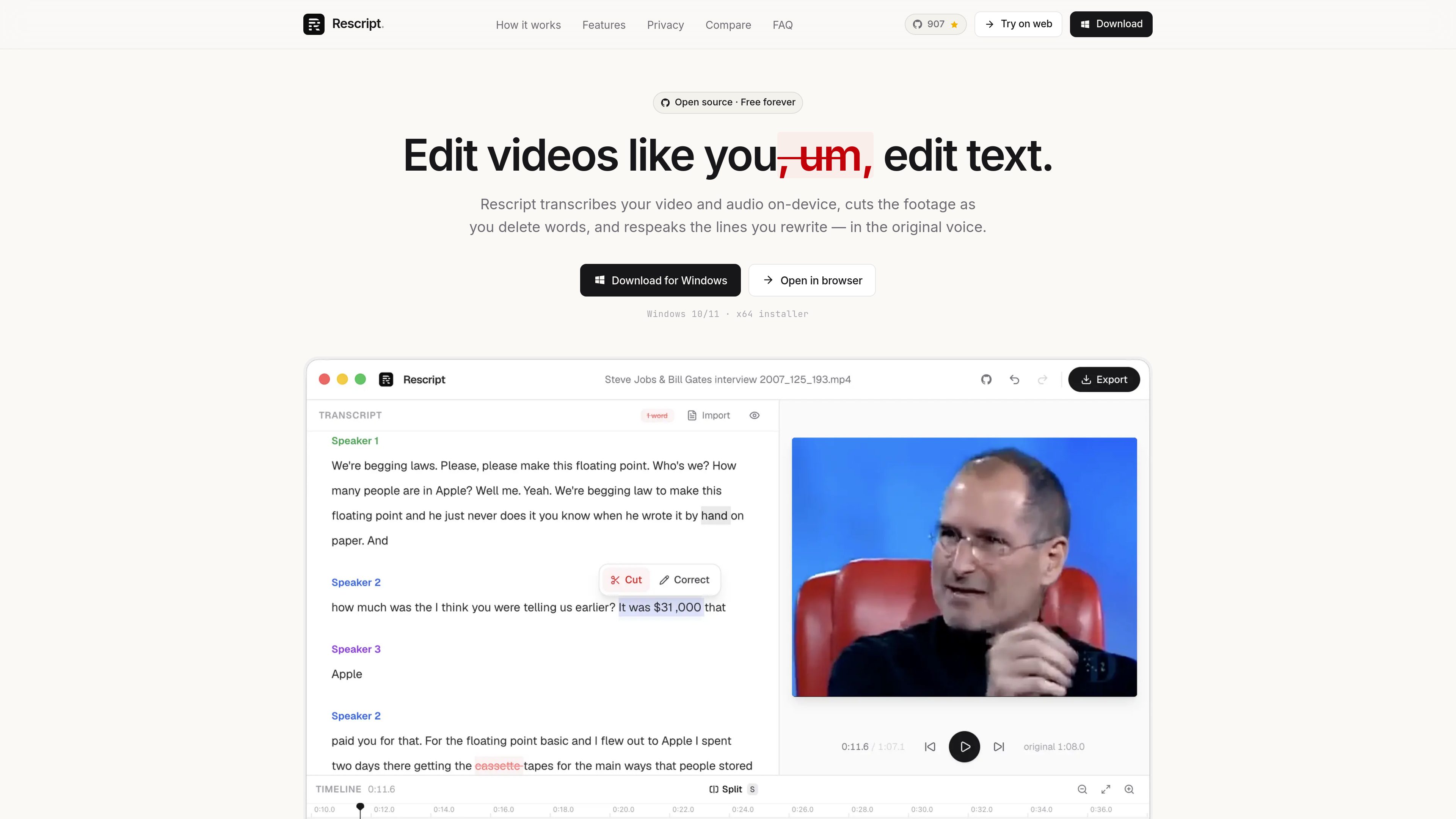
Word-level transcript editing
Delete a word or phrase to cut the matching span of video or audio. Playback previews the edited result and word timings can be corrected.

Rescript est un éditeur gratuit et open source basé sur la transcription, conçu pour les contenus vidéo et audio axés sur la parole. Utilisez-le dans un navigateur ou une application de bureau pour monter vos séquences en modifiant une transcription générée localement, puis exporter vidéos, audio, transcriptions ou sous-titres depuis votre appareil.
Rescript is a free, open-source editor for speech-driven video and audio. It transcribes media locally with Whisper, then treats the transcript as an editing surface: deleting words or phrases removes the corresponding portions of the recording.
The product runs in a browser or as a desktop app for macOS, Windows, and Linux. Its local workflow includes transcription, speaker labeling, editing, optional voice regeneration, and export, so media files do not need to be uploaded.
Delete a word or phrase to cut the matching span of video or audio. Playback previews the edited result and word timings can be corrected.
Remove detected filler words such as “um” and “uh” across a file, or cut pauses of 0.3 seconds or longer in one operation.
Whisper transcription is paired with local speaker detection that groups transcript blocks by speaker. Speaker labels can be renamed for clearer interviews and conversations.
A timeline with waveform, word bars, split and cut regions, draggable handles, zoom, pan, and timing nudges provides manual control when transcript editing is not enough.
Rewrite a selected line and generate replacement speech in the original speaker’s voice. Rescript uses clean audio from the recording, checks the available slot, and fits the new audio to the replaced span.
Export video as MP4 or WebM up to 4K, audio as M4A, MP3, or WAV, transcripts as TXT or Markdown, and subtitles as SRT, VTT, or JSON.
Review a speaker-labeled transcript to remove tangents, repeated takes, filler words, and long pauses without searching through a waveform for every edit.
When deleting a sentence is not enough, rewrite a misspoken name, figure, or phrase and generate a replacement in the relevant speaker’s voice.
Edit interviews, therapy sessions, legal recordings, or unreleased footage locally when sending source media to a cloud editor is undesirable.
Import an existing SRT, VTT, or JSON transcript, edit the associated media, and export cleaned transcripts or subtitle files in several formats.
Create a tightened single-clip spoken-word edit, then move the exported result to a more general editor when the project needs multitrack work, titles, transitions, or effects.
No. Transcription, editing, voice generation, and export run on the user’s device. The Whisper model and language voice bundles make one-time downloads and are then cached; the media itself is not uploaded.
No. The full editor runs in a browser. Desktop builds are available for macOS, Windows, and Linux for users who prefer an installed, offline-first app.
Yes. Rescript can import SRT, VTT, or JSON caption files, allowing users to skip local transcription and edit the media against the imported text.
It exports video as MP4 or WebM up to 4K, audio as M4A, MP3, or WAV, transcripts as TXT or Markdown, and subtitles as SRT, VTT, or JSON.
It is intended for transcript-based editing of speech-driven media and single-clip cuts. It does not replace a general editor for recording, multitrack timelines, layers, titles, transitions, color, effects, or noise removal.
Les données de trafic sont fournies à titre indicatif uniquement.

yiqijian.com
一起剪 est un éditeur vidéo en ligne et outil de création IA pour transformer des textes en vidéos, traiter sous-titres et voix, composer dans le cloud et publier en un clic.

devmotion.app
DevMotion est une plateforme de création et de montage vidéo par IA dans le navigateur, conçue pour les lancements de produits, les démos, les publicités et les annonces de fonctionnalités. Elle transforme des prompts ou des URL de produits en projets vidéo HTML modifiables, avec animations, voix off, musique, sous-titres et commandes de timeline.

openchatcut.com
OpenChatCut est un éditeur vidéo gratuit, open source et local-first, conçu pour le montage conversationnel assisté par IA sur une véritable timeline multipiste. Transformez vos prompts en coupes modifiables tout en gardant le contrôle de vos projets, exports et changements de timeline.

movavi.com
Movavi Video Editor est un éditeur vidéo de bureau pour couper, rogner et améliorer des clips grâce à une timeline et des assistants IA. Il propose un téléchargement gratuit, de nombreux formats pris en charge et la configuration requise pour Windows.

flexclip.com
FlexClip est un outil en ligne de création et de montage vidéo avec des modèles, un montage sur la timeline et des outils d’IA pour créer, modifier et partager des vidéos. Il aide les particuliers et les équipes à réaliser depuis leur navigateur des contenus pour les réseaux sociaux, des vidéos explicatives, des leçons et des clips de marque.

firecut.ai
Éditeur vidéo IA pour Premiere Pro et DaVinci Resolve, avec création de Shorts dans le navigateur