
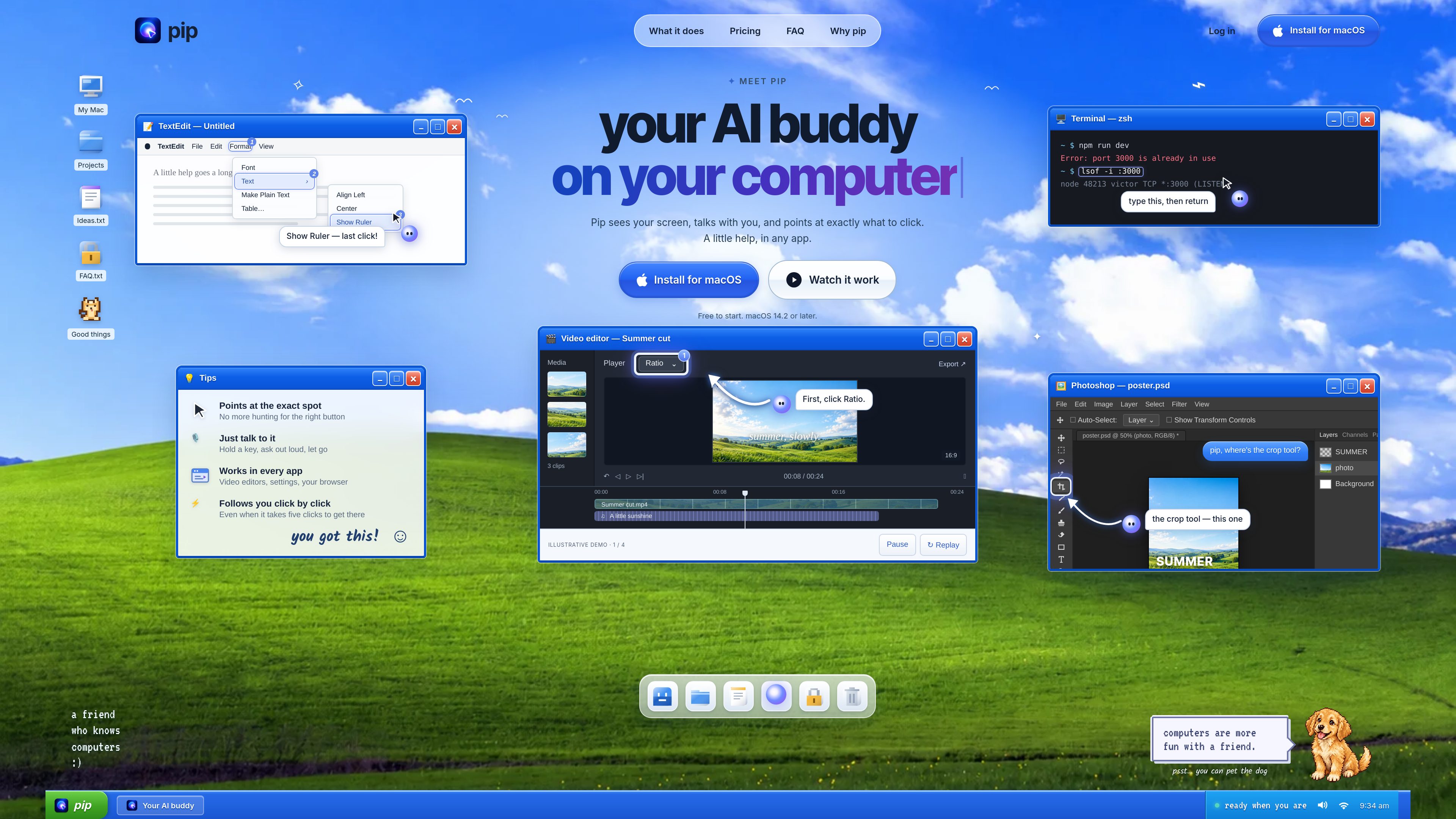
Screen-aware guidance
Pip uses a screenshot from an active interaction to understand the visible interface and identify the relevant control.

Pip est un assistant IA pour Mac qui, sur demande, regarde votre écran, vous explique quoi faire et vous indique précisément les commandes à utiliser. Il vous guide dans toutes les apps Mac ; Pro propose aussi certaines actions vocales et la saisie vocale dans le terminal.
Pip is an AI assistant for Mac that looks at the screen when asked, answers questions about what is visible, and points to the exact control the user should select. It is designed to help people work through unfamiliar interfaces without managing a separate chat window.
The assistant supports both single-control questions and longer workflows. It can follow the user through several clicks across menus and panels, while the user remains responsible for operating the computer.
Pip uses a screenshot from an active interaction to understand the visible interface and identify the relevant control.
It circles or points to the button, menu, panel, or field the user needs, helping them avoid searching through an interface.
Users can hold a key and speak, double-press the hotkey, or type a question to receive a concise answer and visual guidance.
Pip follows the workflow click by click and indicates the next step when a task spans several controls.
When requested, Pip can perform supported actions such as changing volume, arranging windows, setting timers, and managing reminders. Actions that send or delete information require confirmation.
The Pro plan supports voice typing in Terminal for Claude Code and Codex, and this usage does not count as a question.
Users can ask for help in video editors, design tools, or image editors and receive directions to the relevant panel, effect, or control.
Pip can explain visible command-line errors, show a command to enter, and describe what it will do before the user presses Return.
In apps such as Figma, browsers, or spreadsheets, Pip can identify actions like exporting a file or finding a setting.
For tasks that require several clicks, Pip continues pointing to each next control as the user progresses.
Users can ask Pip to perform supported system and productivity actions, with confirmation for operations that send or delete information.
Pip is an AI assistant that lives next to the cursor on a Mac. It answers questions about the current screen and points to the exact location of a relevant control.
No. It looks at the screen when the user holds the hotkey, asks after double-pressing it, or types a question. After a double-press interaction, it stops after eight quiet seconds or at most one minute. Screenshots are not stored.
No. Pip points to controls and explains them while the user performs the clicks. Supported Mac actions can be carried out when requested, but actions that send or delete information require confirmation.
Pip is described as working in any Mac app, including system settings, browsers, video editors, spreadsheets, and design tools. It reads the visible screen rather than requiring a plug-in for each application.
Free includes 30 questions per month. Pro is $15 per month with up to 300 questions and terminal voice typing for Claude Code and Codex. Max is $69.99 per month with up to 1,000 questions. Plans can be upgraded, switched, or canceled from the Pip menu.
Les données de trafic sont fournies à titre indicatif uniquement.

wajo.ai
Wajo est une plateforme d’agents IA qui permet de déléguer des tâches concrètes : planification, commandes, coordination et autres actions. Accessible par chat, e-mail, SMS, voix ou Slack, elle propose des offres pour les particuliers et les entreprises.

zaboj.app
Záboj est un assistant vocal IA pour la voiture qui permet aux conducteurs de formuler leurs demandes à voix haute et de les faire exécuter par des outils connectés. Il fonctionne dans le navigateur, sur iPhone et avec CarPlay, prend en charge plus de 30 langues et facilite les tâches administratives en mains libres.

sayscroll.com
Sayscroll est un prompteur IA accessible dans le navigateur qui suit votre voix et fait défiler le texte à votre rythme, plutôt qu’à vitesse fixe. Il s’adresse aux créateurs, présentateurs, enseignants, podcasteurs et autres intervenants qui veulent enregistrer ou présenter naturellement.