
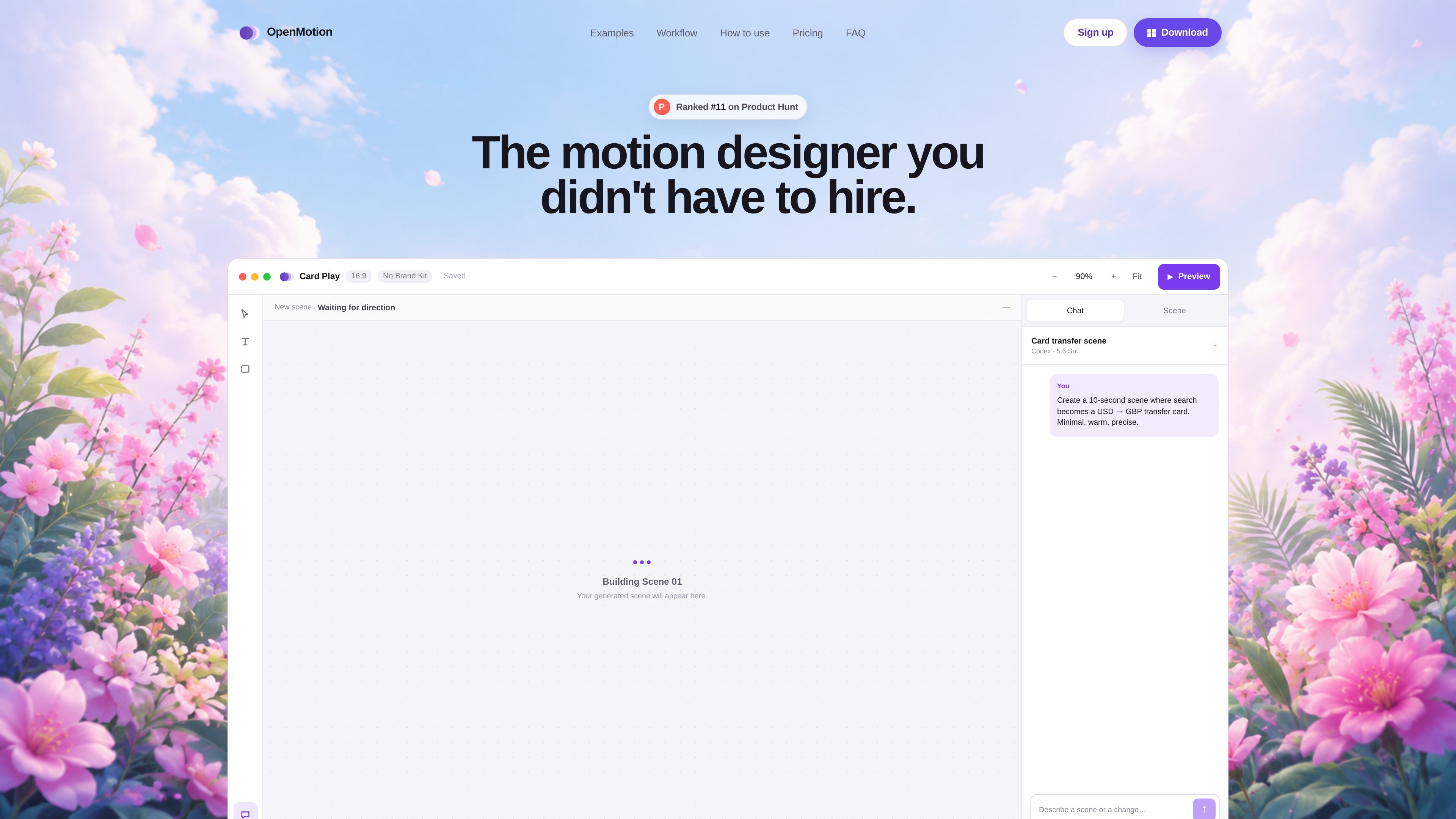
Prompt-based scene planning
Describe the intended story, timing, visual character, and final message; OpenMotion uses that direction to plan an initial sequence.

OpenMotion est un outil de motion design piloté par des prompts, conçu pour créer des scènes modifiables, des vidéos de lancement, des vidéos explicatives et des clips pour les réseaux sociaux. Il associe la planification de scènes par IA à un canevas, une timeline et des commandes audio, avec des exports vidéo, WebM avec transparence et HTML autonome.
OpenMotion is a desktop motion design tool that turns a written creative direction into an editable sequence of scenes. Instead of producing only a locked video, it creates a scene plan that can be revised through chat and adjusted on a canvas and timeline.
The workflow is intended for product videos, launch teasers, explainers, social clips, logo motion, and other scene-based animations. Users can describe the story, duration, format, visual style, and closing message, then refine composition, timing, easing, typography, color, assets, and sound before exporting.
Describe the intended story, timing, visual character, and final message; OpenMotion uses that direction to plan an initial sequence.
Select and revise individual scenes while keeping the project structure editable rather than rebuilding a finished render elsewhere.
Adjust the timing and arrangement of visual elements and sound on a timeline designed for scene-level control.
Revise a scene in chat, then continue shaping the result manually on the canvas and timeline.
Keep brand-related elements available for motion projects, as shown in the product workspace.
Export standard video, transparent WebM for overlays, or self-contained HTML for web motion.
Build launch videos and product reveals by moving from a written product story to a timed sequence of scenes.
Organize a problem, demonstration, and outcome into a scene-based animation with deliberate pacing.
Produce short motion pieces for social publishing, with video exports and controls for timing and presentation.
Create logo motion, interface demonstrations, title sequences, and brand moments using editable visual scenes.
Export self-contained HTML when the finished motion needs to run as interactive web content rather than as a conventional video.
The site lists product videos, launch teasers, explainers, social clips, logo motion, and other scene-based animations as supported creation types.
The documented setup supports Codex CLI and Claude Code. OpenMotion can detect an installed CLI and open the provider’s sign-in flow when a connection is needed. The site says users do not need to manage separate API keys for this workflow.
Start by describing the story, duration, format, visual style, and final message. After the first cut is generated, revise scenes in chat, move elements on the canvas, and tune timing, easing, type, color, and sound on the timeline. The project remains editable after export.
OpenMotion supports video for launches and social work, transparent WebM for overlays, and self-contained HTML for web motion.
The site currently describes one free plan while OpenMotion is being built. It says advanced features may be placed in paid plans in the future, but no prices or plan limits are provided.
Les données de trafic sont fournies à titre indicatif uniquement.

flexclip.com
FlexClip est un outil en ligne de création et de montage vidéo avec des modèles, un montage sur la timeline et des outils d’IA pour créer, modifier et partager des vidéos. Il aide les particuliers et les équipes à réaliser depuis leur navigateur des contenus pour les réseaux sociaux, des vidéos explicatives, des leçons et des clips de marque.

devmotion.app
DevMotion est une plateforme de création et de montage vidéo par IA dans le navigateur, conçue pour les lancements de produits, les démos, les publicités et les annonces de fonctionnalités. Elle transforme des prompts ou des URL de produits en projets vidéo HTML modifiables, avec animations, voix off, musique, sous-titres et commandes de timeline.

latte.social
Éditeur vidéo IA pour les réseaux sociaux, avec clips, sous-titres animés et texte-vers-vidéo

openchatcut.com
OpenChatCut est un éditeur vidéo gratuit, open source et local-first, conçu pour le montage conversationnel assisté par IA sur une véritable timeline multipiste. Transformez vos prompts en coupes modifiables tout en gardant le contrôle de vos projets, exports et changements de timeline.

diffusion.studio
Diffusion Studio est un éditeur vidéo en ligne avec canevas infini, montage sur timeline, flux de travail assistés par IA et exports 4K. Le forfait gratuit inclut des projets illimités, sans filigrane, et l’usage commercial.

animiz.cn
万彩动画大师 est un logiciel de bureau pour créer des vidéos animées et des microcours avec timeline, bibliothèque de ressources, importation PPT et assistance par AI.