
Browser-based image upload
Upload or paste an image and start editing from the browser. The homepage accepts JPG, PNG, and WEBP files.

Éditeur photo IA gratuit en ligne pour modifier les traits du visage dans les selfies et photos de groupe, avec import depuis le navigateur, formats courants et résultats filigranés en version gratuite.
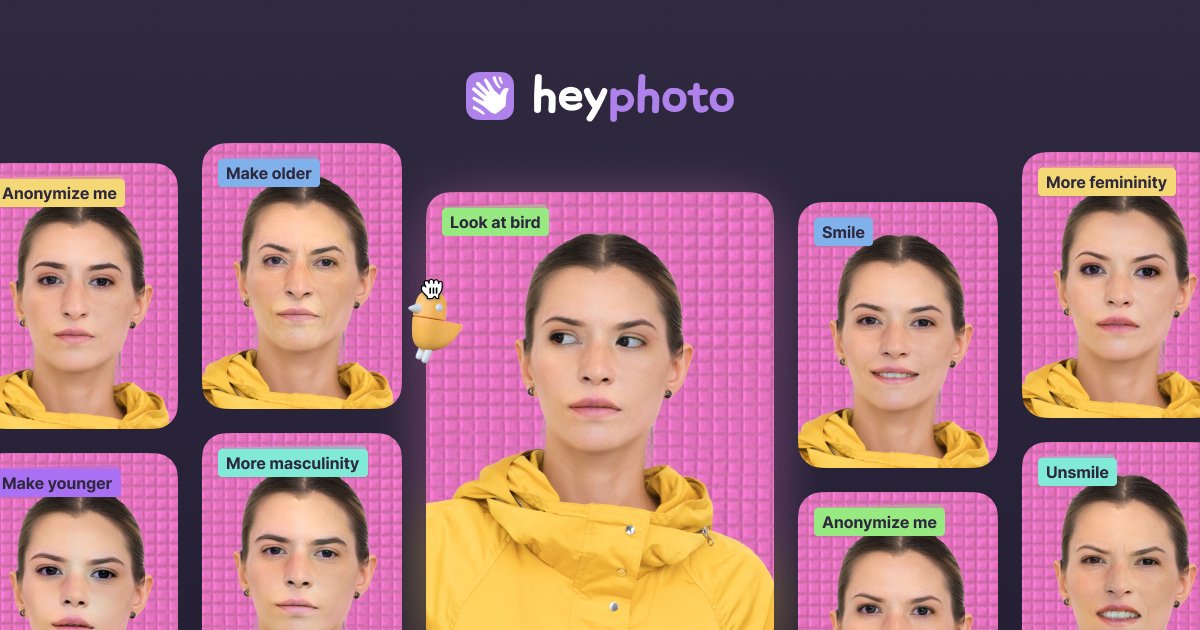
HeyPhoto is an online AI photo editor focused on changing facial features in uploaded photos. It is built around quick, browser-based edits such as changing gaze direction, smile level, emotions, age, gender appearance, skin tone, and hairstyle.
The homepage frames the product as a simple way to tune selfies and group photos without manual editing skills. It also notes support for common image formats and presents the service as free to use, with output watermarked on the free tier.
Upload or paste an image and start editing from the browser. The homepage accepts JPG, PNG, and WEBP files.
Adjust gaze direction, smile, emotions, skin tone, gender appearance, and age using AI-powered facial edits.
Change hairstyle, add makeup, and reshape parts of the face where the site says those tools are available or coming soon.
Use the anonymize option to make a face invisible to face recognition systems, according to the homepage copy.
Work with selfies and group photos, with the site describing the product as suited to both.
Make a selfie look more polished by adjusting smile intensity, emotions, age, skin tone, or gaze direction in a few steps.
Edit group photos to tweak expressions or facial appearance without using a desktop photo editor.
Create profile or dating photos with a more specific expression or look, including the product's “Great for Tinder” positioning.
Use the anonymize function when you want a face to be less recognizable to face recognition systems.
HeyPhoto detects faces in uploaded images and applies the selected adjustment automatically. The site says it uses artificial intelligence and is designed to be intuitive, so no special skills are required.
The site says uploaded images are securely stored so you can access them later, and you can delete them at any time.
HeyPhoto recommends quality photos with people facing the camera. Slight rotation is also acceptable.
Yes. The site says HeyPhoto is free to use, but resulting photos include a watermark.
The site says you can upload photos up to 5 MB, with faces up to 1024×1024 px. It also returns images at the same size and quality as the source image.
Les données de trafic sont fournies à titre indicatif uniquement.

photoeditorai.io
Éditeur photo IA accessible depuis le navigateur, pour modifier et générer des images avec des prompts, avec offres gratuite, crédits et entreprise.

deepai.org
DeepAI est une plateforme d’IA accessible depuis un navigateur pour créer des images, retoucher des photos, discuter avec un assistant IA, générer des vidéos et de la musique, et utiliser des API d’images. Elle propose une exploration gratuite, une offre Pro payante et des points d’accès développeur pour les workflows d’image courants.

pixlr.com
Éditeur photo et générateur d’images IA dans le navigateur, avec suppression d’arrière-plan.

beautyplus.com
BeautyPlus est un éditeur photo basé sur l’IA et un outil d’image en ligne pour améliorer les photos, supprimer les arrière-plans et les objets, et créer du contenu visuel.

photoeditor.ai
Éditeur photo et générateur d’images IA dans le navigateur, avec plus de 30 outils de retouche, restauration, agrandissement et texte-image.

faceswap.so
Outil d’IA en ligne pour remplacer des visages sur photos et vidéos, avec offres gratuite et payantes.