
One API for multiple harnesses
Integrate once and select the harness for each task. HarnessRouter presents a shared contract for Codex, Claude Code, and Hermes so teams can switch harnesses without rebuilding their backend integration.

HarnessRouter est une couche backend pour agents qui permet aux équipes d’intégrer Codex, Claude Code et Hermes à leur produit via une API unique, sur leur propre infrastructure. Une option cloud gérée est également proposée aux équipes qui préfèrent ne pas exploiter elles-mêmes le runtime des agents.
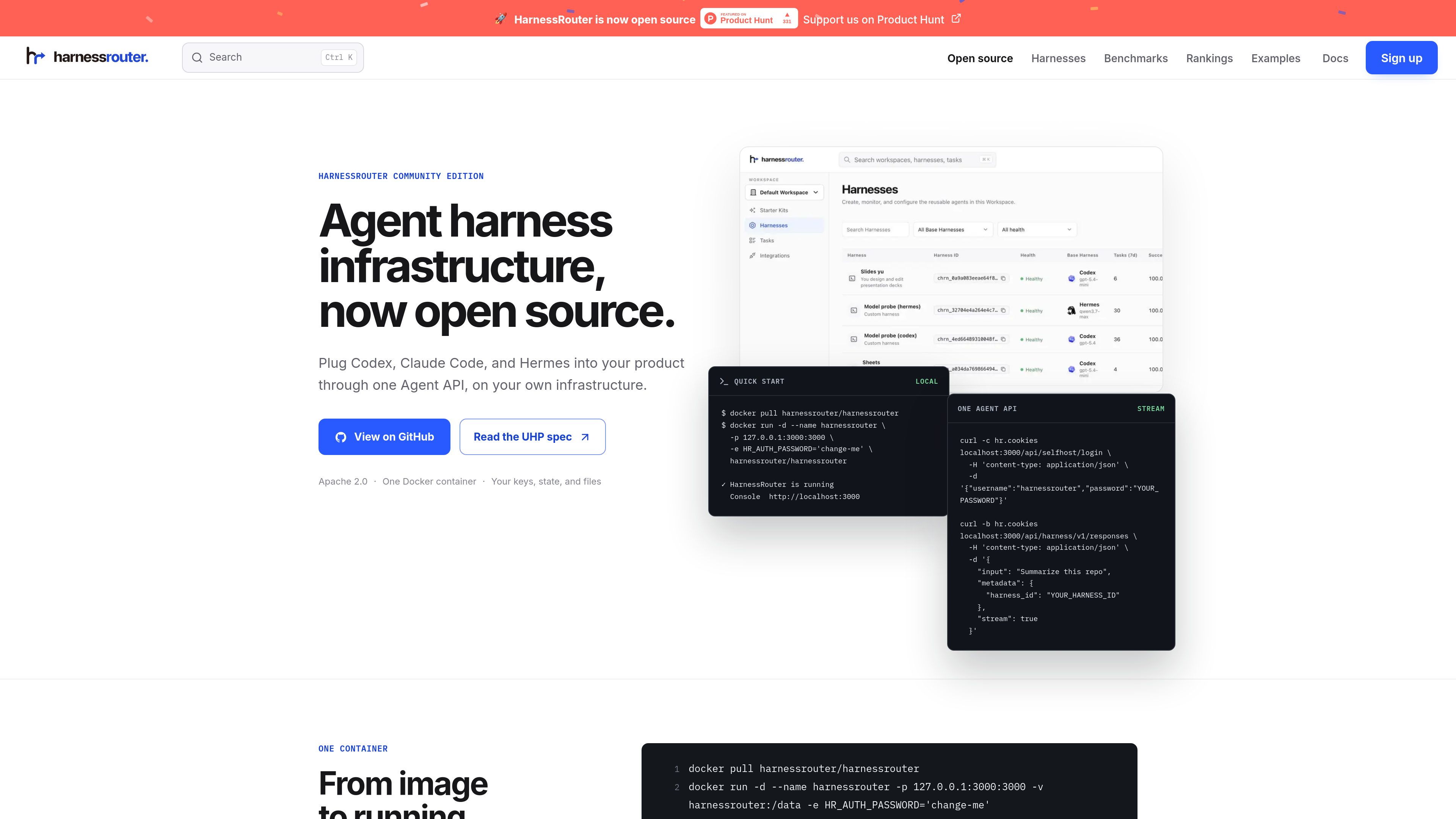
HarnessRouter is an agent infrastructure product for teams building AI features into software products. It provides one Agent API for running supported harnesses such as Codex, Claude Code, and Hermes, while keeping the product’s own UI, authentication, and data model in the customer’s application.
The open-source Community Edition runs on infrastructure you control and packages the Gateway, Runner, and Console in one Docker container. The same product line also includes HarnessRouter Cloud for teams that want the API without operating the backend themselves. The homepage and docs emphasize production agent workflows such as sessions, streaming, files, artifacts, cancellation, and structured failure handling.
The product is positioned as a backend layer for completed work rather than a simple model router. The docs and guides focus on product integration patterns, server-side authorization, multi-tenant behavior, and the workflow needed when users expect agents to return finished outputs instead of only model responses.
Integrate once and select the harness for each task. HarnessRouter presents a shared contract for Codex, Claude Code, and Hermes so teams can switch harnesses without rebuilding their backend integration.
The open-source edition runs in a single Docker container on infrastructure you control. The page says no managed database, external vault, or cloud account is required, and that the API, console, SQLite state, and workspace files stay on your own infrastructure.
The docs list sessions, response streaming, continuing a session, and canceling a session as core API capabilities. This supports long-running agent work where users need progress updates and the ability to resume or stop tasks.
HarnessRouter supports uploading files, persisting workspace files, and returning finished artifacts. That makes it suitable for product flows that need input documents, generated outputs, and downloadable results.
UHP is the public, versioned contract behind the platform. The homepage describes it as an open protocol with OpenAPI 3.1, JSON Schema 2020-12, versioned API definitions, and runnable checks that can be verified locally.
The Starter Kit provides complete examples that show how sessions, streaming, files, and finished work fit into real product experiences. The site also highlights a Cursor-style coding app, a family-care demo, and a Slides Kit production example.
Use HarnessRouter when your product needs to launch harnessed agents behind the scenes while keeping the product UI and user experience in your own app. The docs and examples frame it as a server-side agent backend layer.
Use the session model for work that unfolds over time, such as coding tasks, document work, or other jobs that need streaming progress, follow-up actions, and later inspection.
Use the files and artifacts flow when users need to upload source material and receive generated outputs back from the agent. The homepage explicitly calls out workspace files and finished outputs as part of the lifecycle.
Use the Starter Kit when you want a concrete starting point instead of an empty repository. The site shows reference demos and production kits for teams that want to adapt an existing agent product pattern.
Use Community Edition if you want to control infrastructure yourself, or move to HarnessRouter Cloud if you want the same API without running the agent backend. The pricing page and homepage both present this split clearly.
No. The site presents Community Edition as the open-source, self-hosted option and also offers HarnessRouter Cloud for teams that want a fully managed service.
The homepage says Community Edition includes the Gateway, Runner, and Console in one container, along with local SQLite state and workspace files on infrastructure you control.
The public pages mention Codex, Claude Code, and Hermes as supported examples. The docs and guides also discuss how to run Claude Code and Hermes through an API.
The product is built for session-based agent work with streaming, file handling, artifacts, cancellation, and error handling. The examples page shows a Cursor-style coding workflow, and the Starter Kit includes other product patterns.
The pricing page says you can build and integrate for free, and that 500 launch credits are available for a limited time after adding a card. It also lists a Developer plan starting at $20 per month.
Les données de trafic sont fournies à titre indicatif uniquement.

humanlayer.dev
HumanLayer est un IDE d’IA et une plateforme collaborative pour les ingénieurs travaillant sur des bases de code complexes. Les équipes peuvent gérer les sessions d’agents, les artefacts et les workflows de revue avec leur propre configuration Claude, Codex ou IA basée sur une clé API.

www.agentconnect.md
AgentConnect permet aux équipes d’intégrer des agents ACP comme Claude Code, Codex et Gemini CLI à Slack, Telegram, Discord et GitHub, afin qu’ils puissent prendre en charge des tâches dans les canaux où les équipes collaborent déjà. La solution est open source et auto-hébergeable, avec des rôles, des outils, une mémoire et des déclencheurs configurables pour les workflows des agents.

heym.run
Heym est une plateforme d’automatisation de workflows d’IA, disponible avec son code source et auto-hébergée, qui permet de créer et d’exécuter des workflows agentiques avec un éditeur visuel. Elle aide les équipes d’automatisation, de plateforme et d’IA à orchestrer agents, RAG, validations et traces d’exécution sur leur propre infrastructure.

1code.dev
1Code est un client visuel open source pour agents de programmation, réunissant Claude Code et Codex avec des flux desktop et web, des revues et fusions Git, et des exécutions en arrière-plan dans le cloud.

dragoncode.codes
Une plateforme relais de codage IA pour les entreprises, réunissant Claude Code, Codex et Gemini CLI sous un même compte et une configuration unique.

oomol.com
OOMOL connecte Gmail, GitHub et Notion aux agents IA pour réutiliser les outils autorisés dans Codex, Claude Code et Cursor, avec offres gratuite, payantes et à l’usage.