
In-browser translation
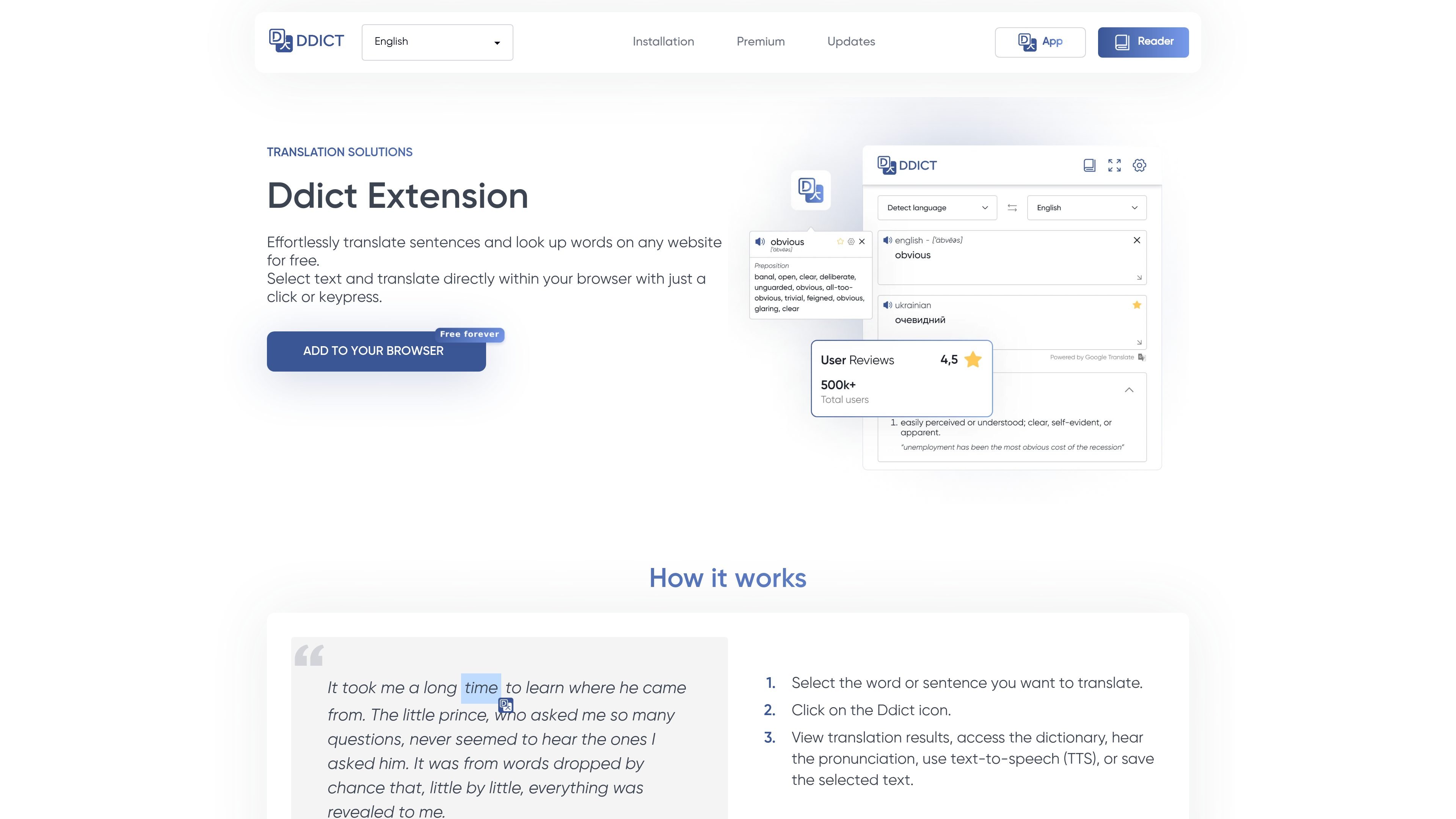
Translate selected sentences or words on any website by choosing text and opening the Ddict popup.

Traduisez le texte web avec dictionnaire, prononciation, aide à l’écriture par IA et fiches.
Ddict is a browser-based translation and writing assistant built around a browser extension that works directly on websites. Its main workflow lets you select text, open the Ddict popup, and review translations, dictionary information, pronunciation, text-to-speech, or saved text without leaving the page.
The product combines basic translation with AI features, flashcard learning, and writing support. The site positions it as a tool for people who want to translate, understand, learn, and write in different languages while staying inside the browser.
Translate selected sentences or words on any website by choosing text and opening the Ddict popup.
Look up dictionary entries, hear pronunciation, use text-to-speech, and save selected text from the translation result.
Turn saved words into interactive flashcards with spaced repetition, with words from the extension syncing automatically to the deck.
Use the AI Translate feature for more context-aware translations, and the AI Summary tool for condensing longer content.
Draft clearer emails and other messages with AI writing improvement, plus grammar and spelling checks.
Install the extension on supported browsers including Chrome, Edge, Opera, Brave, Vivaldi, Yandex, Firefox, and Safari support marked as soon.
Translate a word or sentence while reading a webpage, then use pronunciation, TTS, or the dictionary view to understand it in context.
Save useful vocabulary from pages and review it later as interactive flashcards with spaced repetition.
Use AI translation or AI Summary on longer content when you need a more context-aware translation or a concise overview.
Draft or polish messages, emails, and other short communications with AI writing improvement and grammar checks.
Choose the free plan for basic translation, or move to Premium or Business if you need expanded AI and learning usage.
Ddict is available as a browser extension, and the pricing page also references Ddict Reader and Flashcards as related products or workflows. The site does not present a separate integration list beyond browser support.
The extension is designed to work directly on websites. You select text, click the Ddict icon, and then view translation results, dictionary information, pronunciation, text-to-speech, or save the text.
Yes. The flashcard feature turns saved words into interactive flashcards, and the site says your words from the extension sync automatically with your flashcard deck.
The pricing page says Ddict Free includes basic translation and limited AI features, while Premium adds high-quality translation plus unlimited premium features such as summarization, writing improvement, grammar and spelling check, and unlimited learning features.
The pricing page says there is no free trial because a free plan is available. It also says Premium users have rate limits to prevent abuse, and each request is limited to 5,000 characters.
Les données de trafic sont fournies à titre indicatif uniquement.

youtubetranscript.dev
Convertissez les vidéos YouTube en texte avec sous-titres ou transcription audio par IA, avec export, traduction et API.

polyglotta.app
Polyglotta est un traducteur multilingue et partenaire d’apprentissage linguistique doté d’IA, avec des traductions côte à côte dans plus de 70 langues. Comparez les sens, posez des questions et écoutez la prononciation.