
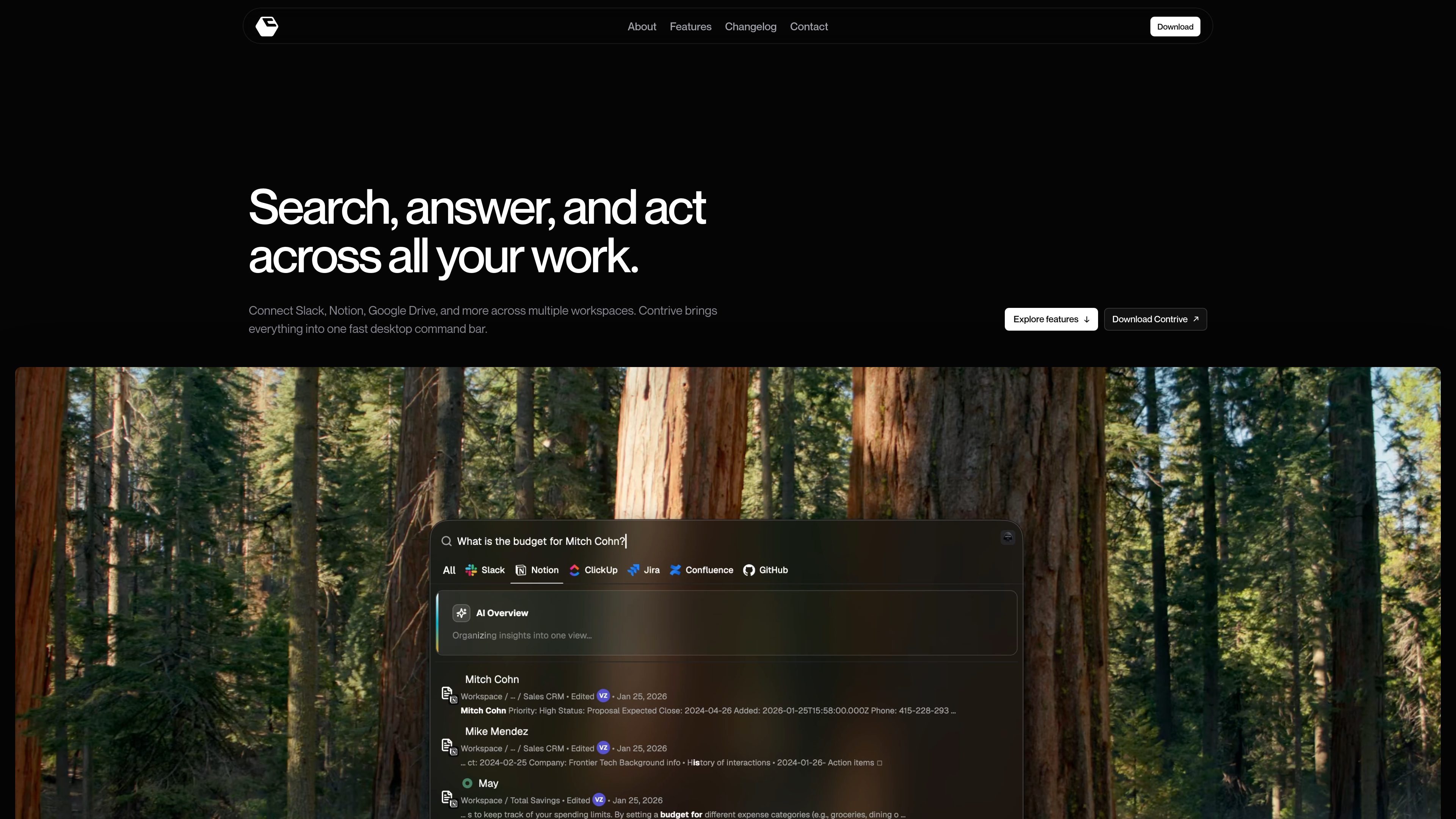
Cross-app search from one command bar
Search across connected workspace tools without moving between separate apps or browser tabs.

Contrive est une application de bureau autonome qui permet de rechercher, d’obtenir des réponses de l’IA et d’agir dans Slack, Notion, Google Drive et d’autres applications compatibles depuis une seule barre de commande, sans changer d’onglet de navigateur.
Contrive is a standalone desktop application that lets users search, get AI-generated answers, and take action across connected workspace apps from one command bar.
It is built for macOS and Windows and is positioned around fast access to permitted workspace knowledge, with separate workspace contexts, role-based access controls, and support for multiple connected apps.
Search across connected workspace tools without moving between separate apps or browser tabs.
Ask in natural language and get AI-generated answers that use relevant workspace context the user is allowed to access.
Connect tools to more than one workspace, keep knowledge and permissions separate, and switch between workspaces when needed.
Create docs and pages, open and assign tasks, send messages and updates, and run workflows from the command bar.
Use roles and permissions to limit what teammates can search and what connected tools they can use.
Open Contrive with a keyboard shortcut on Mac or Windows and change the shortcut anytime in settings.
Use Contrive when the answer may be spread across Slack, Notion, Drive, docs, or issue trackers and you want one place to search them.
Ask a question in natural language and use the AI overview to turn several relevant search results into a concise answer.
Keep knowledge and permissions separated when you need to move between different workspaces or shared tool sets.
Create a page, assign a task, or send an update directly from the search flow instead of opening each app separately.
Invite teammates, assign roles, and let them search permitted workspace content without exposing tools or data they should not see.
Contrive is a standalone desktop application for searching, getting AI answers, and taking action across connected workspace apps from one command bar.
The download page says Contrive is available for macOS and Windows.
The site names supported workplace services including Slack, Notion, Google Drive, Google Docs, Gmail, Calendar, GitHub, GitLab, Jira, Linear, ClickUp, Confluence, Trello, and Asana, and the FAQ also mentions Slack, Notion, ClickUp, Jira, Confluence, and GitHub.
Yes. The site says you can connect multiple workspaces, keep their knowledge and permissions separate, and switch context when needed.
According to the privacy policy, Contrive uses the permissions you grant through connected services, encrypts OAuth tokens at rest, and processes selected workspace text to provide semantic search and AI overviews.
Les données de trafic sont fournies à titre indicatif uniquement.

sai.simular.ai
Sai est un robo-secrétaire doté d’IA qui commande une flotte informatique autonome pour effectuer les tâches courantes dans les applications, sites web et outils de bureau. Connectez-vous avec Google et déléguez des tâches via le service Sai.

chathop.tech
ChatHop est une extension Chrome qui permet de transférer une conversation avec une IA entre des services de chat compatibles tout en conservant son contexte. Changez d’assistant, copiez des échanges dans d’autres outils ou téléchargez des conversations sans avoir à réexpliquer le fil.

cuey.io
Une extension Chrome qui compare dans un volet latéral les réponses de ChatGPT, Claude, Gemini et d’autres modèles d’IA. Repérez les accords, les désaccords et les lacunes possibles sans passer d’un outil d’IA à l’autre.

www.stashformac.com
Stash est un utilitaire macOS qui permet d’accéder aux apps et aux commandes système depuis les bords et les coins de l’écran sans les laisser visibles. Il comprend Hidden Dock, App Launcher, Edge Sliders, Corner Dials, App Profiles et une app compagnon pour iPhone appelée Stash Deck.

www.greypaint.app
Greypaint est un outil de mise à jour macOS qui regroupe dans une liste les flux Sparkle, Homebrew, GitHub Releases et le Mac App Store. Consultez les mises à jour, choisissez leur moment d’application et gérez certaines apps depuis un seul utilitaire.

iconsforfree.com
Icons for free est une collection accessible depuis le navigateur d’icônes originales en contour Line 01 pour sites web, apps, présentations et projets personnels. Personnalisez le trait et la couleur, puis téléchargez des fichiers SVG ou PNG sans compte ; les icônes sont publiées sous CC0 1.0.