
Multi-model routing
Amp can use several model families and chooses among them based on the mode or task, including GPT-5.5, Opus 4.8, and fast models.

Amp est un agent de programmation pour terminaux et éditeurs, avec modèles de pointe, fils, sous-agents, CLI, intégrations et partage web.
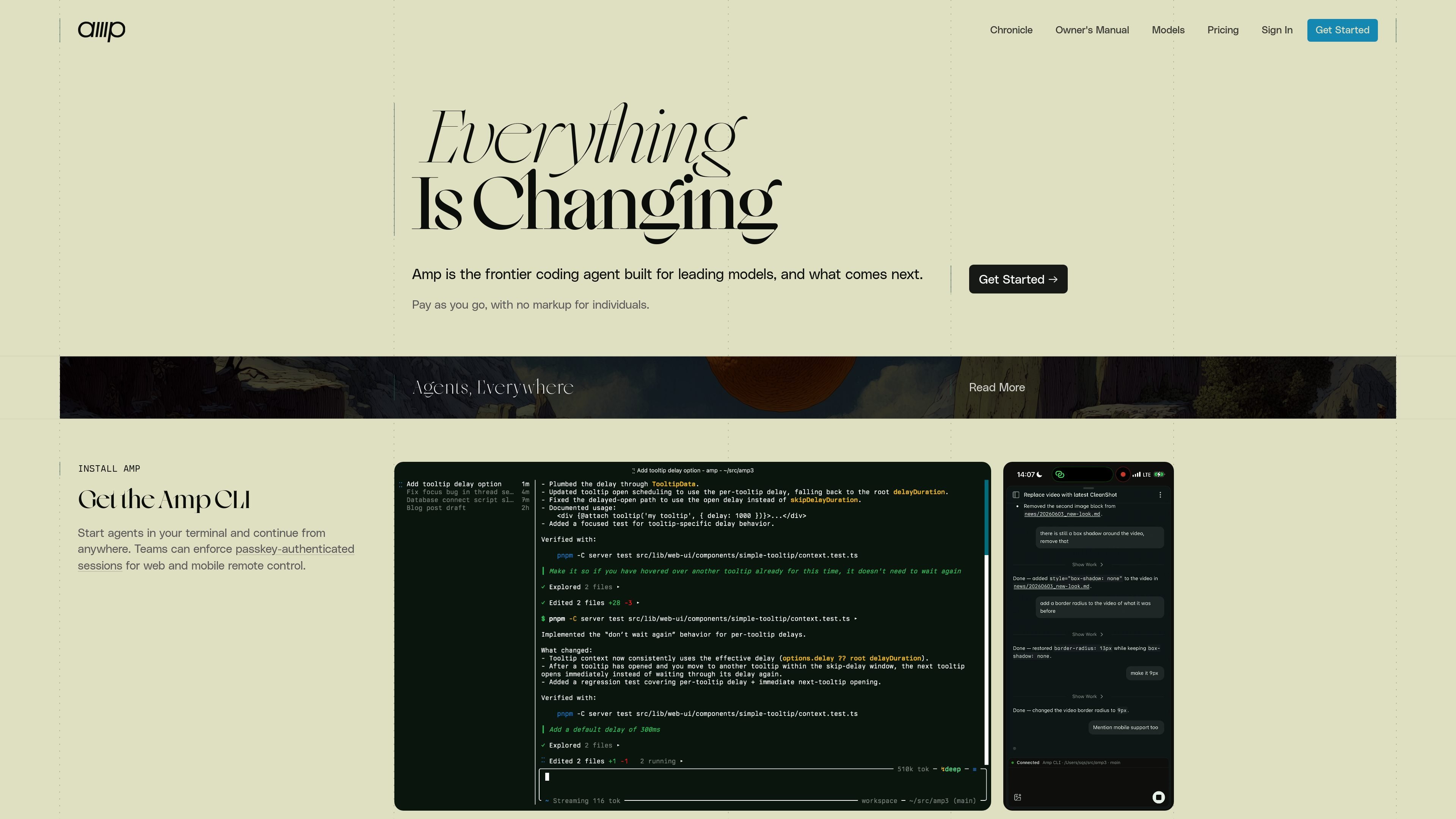
Amp is a coding agent for terminal and editor workflows. It is designed to use leading models directly, with a focus on unconstrained token usage, strong model selection, and a workflow that changes with the models instead of preserving old behavior for its own sake.
The product centers on threads, model modes, and subagents. You can run it from the CLI, connect it to supported editors, share threads through the web UI, and use plugins to add tools or policy inside a workspace.
Amp can use several model families and chooses among them based on the mode or task, including GPT-5.5, Opus 4.8, and fast models.
The product is built around three modes: `deep` for extended reasoning, `smart` for broad autonomy, and `rush` for small well-defined tasks.
Amp threads can be saved and shared, and the manual recommends one thread per task to keep work organized.
The CLI is the main entry point, with IDE integrations for JetBrains, Neovim, VS Code-based editors, and Zed.
The site says Amp can be extended with plugins that hook into events, add tools, standardize policy, and then be deployed into a workspace.
The security reference states that teams can enforce passkey-authenticated sessions for web and mobile remote control.
Use Amp in a terminal session when you want an agent to make code changes, run commands, and keep working from a shared thread.
Use the editor integrations when you want Amp alongside an existing codebase in JetBrains, Neovim, VS Code-based editors, or Zed.
Use the deep mode for complex debugging, planning, or design work that needs longer reasoning and more context handling.
Use subagents for broader refactors or repetitive transformations, such as converting several files or splitting work across focused subtasks.
Use the web UI and mobile remote control when a team needs to follow or steer a running thread from outside the local terminal.
Amp is installed through `ampcode.com/install`, then you run `amp` in the terminal. The manual also describes IDE connections and notes that Amp can be used from the CLI and web UI.
Amp is positioned for coding tasks in a terminal or editor, including fixing errors, running tests, reviewing API designs, finding code paths, planning changes, and using subagents for larger tasks.
Amp’s manual describes three modes: `deep` for extended reasoning on complex problems, `smart` for unconstrained state-of-the-art model use, and `rush` for fast, low-token tasks. It also mentions a less recommended `large` mode.
The site says Amp lets you save and share threads, and the manual says workspace thread sharing helps people in the same workspace learn from each other.
Amp supports Mac, Linux, WSL, and Windows installation paths, and the manual lists JetBrains, Neovim, VS Code-based editors, and Zed for editor integration.
Les données de trafic sont fournies à titre indicatif uniquement.

apps.mergeable.io
Diffsmith est une application native macOS pour examiner les modifications git locales effectuées par des agents de programmation IA comme Claude Code, Cursor, Codex et Copilot. Ajoutez des commentaires en ligne et renvoyez-les à l’agent sous forme de prompt ou via un serveur MCP local.
www.clarkchat.com
Clark Labs propose Clark Agent pour les tâches web autonomes dans le cloud et Clark Code pour les tâches de programmation en local ou via SSH. La plateforme fournit également une passerelle API compatible avec OpenAI pour appeler les modèles Clark ou acheminer des modèles de pointe via Clark.

cursor.com
Cursor est un agent de programmation IA qui aide les développeurs grâce à des suggestions d’actions suivantes, des workflows agentiques et l’exécution de tâches dans le cloud. Il propose des offres gratuites, individuelles, d’équipe et Enterprise, avec des contrôles d’administration et de sécurité pour les organisations.

devin.ai
Devin est un agent de codage et un ingénieur logiciel doté d’IA pour les développeurs et les équipes d’ingénierie. Il propose un accès depuis un ordinateur, la CLI et les IDE, ainsi que des offres pour les équipes et les entreprises, avec des workflows d’agents cloud et des contrôles d’administration.

hermes-agent.nousresearch.com
Agent IA autonome pour ordinateur et terminal sur macOS, Windows et Linux, avec mémoire persistante, intégrations de messagerie, automatisations planifiées et plusieurs backends de déploiement.

pi.dev
Pi Coding Agent est un agent de programmation en terminal pour les développeurs recherchant un workflow CLI extensible, avec utilisation interactive et programmatique, instructions de projet, embranchements de sessions et large prise en charge des fournisseurs de modèles.