
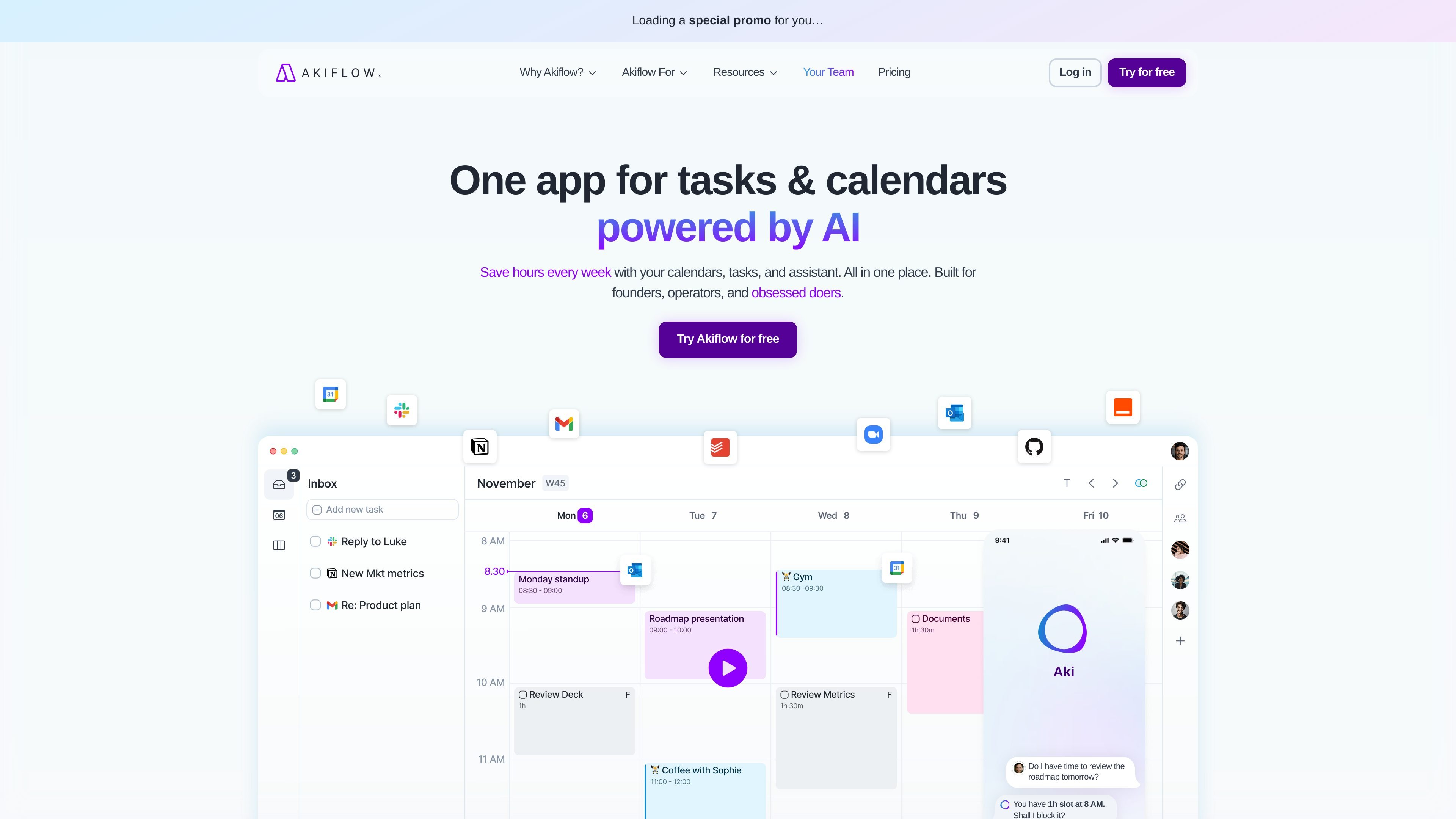
Tasks and calendar in one view
Use Akiflow to combine your calendar and task list in one workspace, so planning and scheduling happen in the same place.

Planificateur et calendrier par blocs de temps pour mieux s’organiser
Akiflow is a time-blocking digital planner and calendar that brings tasks, meetings, and scheduling into one workspace. The product is positioned around helping users centralize work, reduce app switching, and plan their days with more structure.
Its core workflow combines a universal inbox, calendar planning, time slots, and AI-assisted actions through Aki, the executive assistant. The site also highlights support for integrations, offline use, team calendars, and both desktop and mobile access.
Use Akiflow to combine your calendar and task list in one workspace, so planning and scheduling happen in the same place.
Capture tasks from email, messages, and integrations, then pull work into a single universal inbox for review and planning.
Turn plans into calendar blocks, create time slots, and use scheduling links to share availability for meetings.
Use Aki, the AI executive assistant, to reschedule conflicts, automate routines, and generate workflow prompts from simple instructions.
Work with shortcuts, recurring tasks, daily rituals, focus timer, and productivity stats to move through planning and execution faster.
Connect Akiflow with apps such as Google Calendar, Outlook, Gmail, Slack, Microsoft Teams, Zoom, Notion, Asana, ClickUp, Todoist, Jira, GitHub, Linear, Zapier, and IFTTT.
Centralize incoming work from email, chat, task tools, and calendars so you can decide what to do without jumping between apps.
Block time for focused work, then use scheduling links and calendar views to place meetings around that work.
Use the AI assistant, shortcuts, recurring tasks, and rituals to keep a repeatable planning routine moving quickly.
Track co-worker availability and manage shared calendars when you need clearer coordination across a team.
Capture ideas or to-dos quickly from messages and emails, then convert them into scheduled tasks later.
Akiflow is built for people who want to centralize tasks, calendar events, and scheduling in one workspace. The home page describes it as a time-blocking digital planner and calendar for founders, operators, and other productivity-focused users.
The pricing page shows a 7-day free trial and says users can try the Pro plan for free for seven days, with cancellation available anytime.
Akiflow connects with tools such as Google Calendar, Outlook Calendar, Gmail, Slack, Microsoft Teams, Zoom, Notion, Asana, ClickUp, Todoist, Jira, GitHub, Linear, Zapier, and IFTTT, based on the integrations page and feature list.
The features page shows a desktop version and a mobile app, along with offline work support.
The pricing page includes a separate contact option for university students or researchers who want discounts, and another for teams that want to run their workflow on Akiflow.
Les données de trafic sont fournies à titre indicatif uniquement.

vimcal.com
Vimcal est une application de calendrier pour gérer de nombreuses réunions, avec accès multiplateforme, planification partagée et outils de délégation pour assistants de direction.

tiimoapp.com
Tiimo est un planificateur quotidien visuel avec outils de concentration, tâches, importation de calendriers et planification assistée par IA pour les personnes neurodivergentes et celles qui souhaitent plus de structure.

textiris.com
Iris réunit les flux de calendrier et d’e-mails pour planifier des réunions, rédiger des réponses et résumer le contexte, tout en vous laissant le contrôle.