
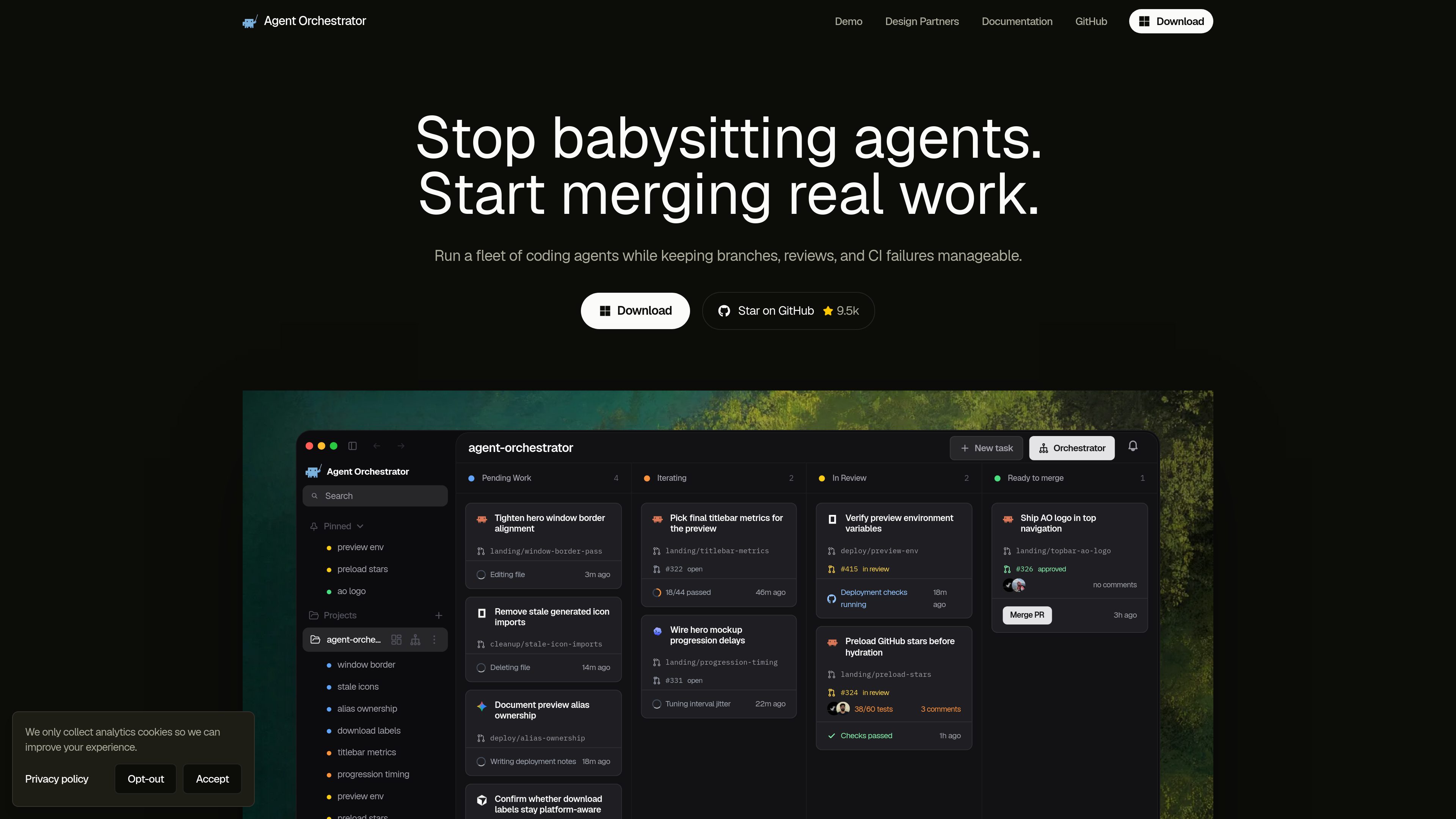
Isolated worktrees for each worker
New worker sessions receive their own isolated worktrees, which helps keep branches and files separated while multiple agents work in parallel.

Agent Orchestrator est un IDE de bureau conçu pour superviser des agents de programmation IA. Exécutez plusieurs sessions d’agents dans des espaces de travail isolés tout en gardant les pull requests, les revues et l’état de la CI visibles au même endroit.
Agent Orchestrator (AO) is a desktop IDE for supervising AI coding agents. It gives each worker an isolated workspace and connects project work to pull requests, CI, reviews, merge readiness, notifications, and browser previews.
The product centers on a local desktop app and daemon rather than a cloud service. AO manages the control layer around the agents you already use, so you can launch sessions, follow activity, send follow-up messages, and keep track of review and merge status in one place.
New worker sessions receive their own isolated worktrees, which helps keep branches and files separated while multiple agents work in parallel.
AO lets you register local Git repositories or workspaces as projects, then create, inspect, rename, restore, kill, and clean up sessions tied to those projects.
The docs include commands for merging pull requests, resolving comments, triggering reviewer runs, submitting verdicts, and claiming PRs from sessions.
The desktop app owns the local daemon and communicates with it over a loopback API, keeping product state and worktree metadata on the machine by default.
AO supports installed agent harnesses such as Claude Code, Codex, OpenCode, Droid, Cursor, Aider, and others, and uses the sign-ins already present on the machine.
The CLI includes preview commands to select a target, start a managed preview server, inspect status, and stop it, which helps keep a session's app preview nearby.
Use AO when you want multiple coding agents working in parallel on separate bug fixes, refactors, or feature slices without mixing their branches or files.
Start a session, watch its activity and review state, then move through pull request, CI, review, and merge steps without leaving the AO workflow.
If a reviewer agent or human leaves requested changes, you can send follow-up instructions to the correct session and keep the work moving.
Use the preview controls when a session needs a running local app or static entry point that you want to inspect beside the agent conversation or terminal.
AO fits developers who already use Git, GitHub CLI, and supported agent harnesses, and want an orchestration layer instead of another standalone agent runtime.
AO is used to supervise AI coding agents while keeping their workspaces, pull requests, reviews, and merge status organized from a desktop app.
No. The docs say AO uses the agent binaries and sign-ins already on your machine and does not bundle provider CLIs.
Yes. The ao CLI is described as a thin client for the local desktop app and loopback daemon, and it requires the desktop app to be running for product commands.
The installation page provides desktop downloads for macOS, Windows, and Linux.
The pricing URL currently shows a page-not-found message, so the source does not provide a current pricing or plan breakdown.
Les données de trafic sont fournies à titre indicatif uniquement.
| juin | 0 |
|---|---|
| juil. | 0 |
| août | 8382 |
Les analyses de trafic ne sont pas encore disponibles.

raft.build
Raft est une plateforme de collaboration en temps réel où les humains et les agents IA travaillent en équipe dans des canaux et des messages directs. Elle est conçue pour les flux de travail multi-agents, en gardant le travail lié aux conversations et au contexte qui l’ont fait naître.

joinoasis.com
Oasis est un espace de travail d’IA multijoueur qui coordonne les équipes humaines et les agents dans des espaces partagés. Déployez des agents, partagez-les avec vos collègues et gérez le travail grâce aux approbations, aux politiques et à la collaboration entre agents.

decawork.ai
Decawork est une plateforme de contrôle des agents destinée aux équipes informatiques. Elle permet d’approuver les agents IA internes créés avec différents outils, de gérer leurs accès et de vérifier chaque action, le tout depuis un seul endroit à l’échelle de l’entreprise.

usesuperflow.ai
Superflow transforme les listes de contrôle QA des sites web en agents IA qui examinent les modifications, signalent leurs constats dans des commentaires et acheminent les validations entre équipes et clients. Conçu pour les agences et équipes web qui ont besoin de processus de revue sans imposer de connexion aux clients.

anuma.ai
Anuma est un espace de travail IA privé pour utiliser plusieurs modèles avec mémoire partagée, comparaison et Unified Answer.