
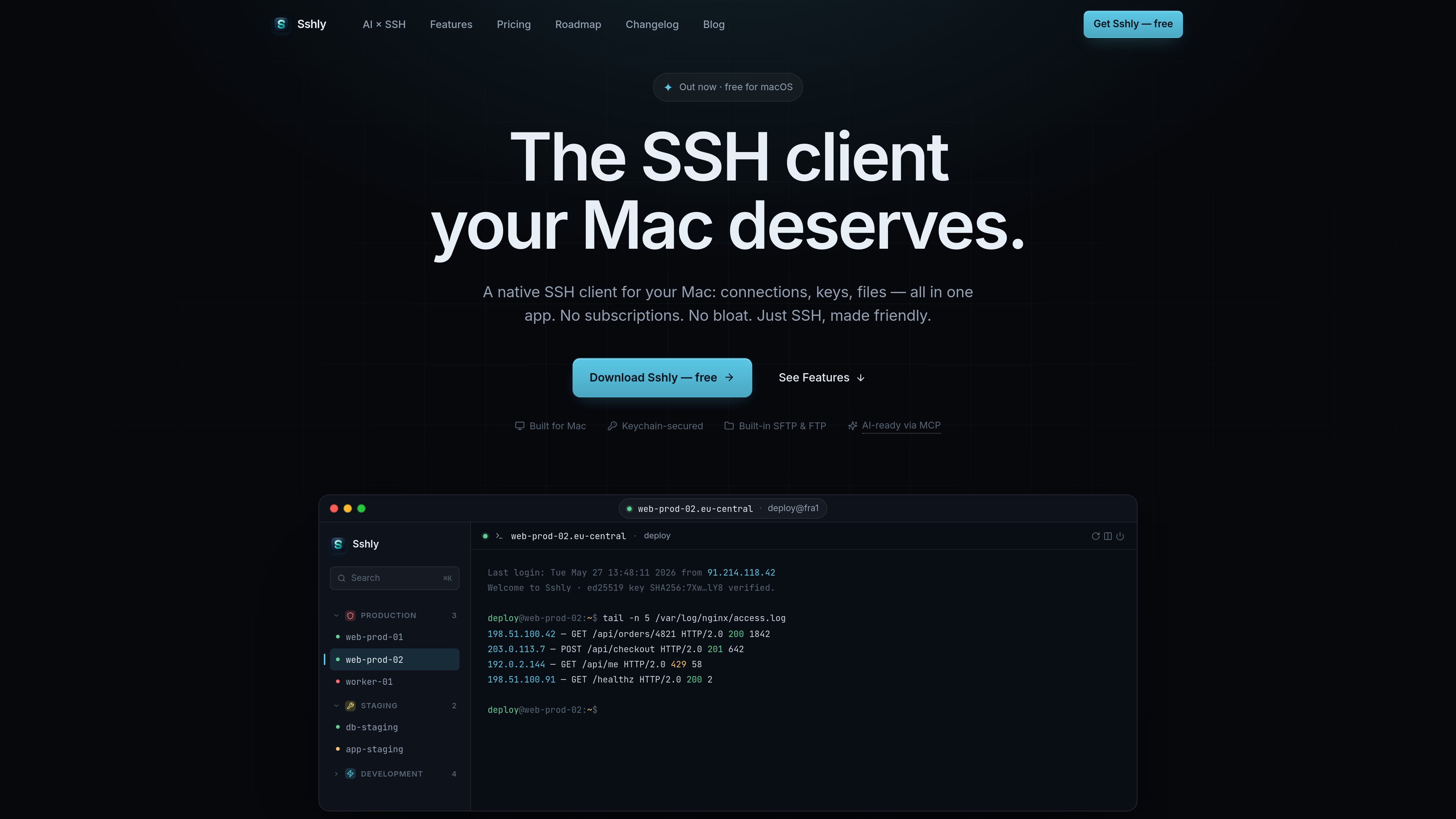
GPU-accelerated terminal
The terminal uses xterm.js with WebGL rendering and is described as capable of smooth scrolling and instant keystrokes.

Sshly es un cliente SSH nativo para Mac que reúne conexiones, claves SSH, gestión de archivos y reenvío de puertos en una sola app. Ofrece un flujo de trabajo SSH local con una licencia de pago único, sin suscripción.
Sshly is a native SSH client for Mac that combines terminal access, SSH key handling, file transfer, and port forwarding in one application. It is aimed at users who want to work with remote servers from a local desktop app rather than switching between separate tools.
The product is centered on practical server workflows: connecting to hosts, browsing and editing files over SFTP, managing keys in the macOS Keychain, and keeping sessions available from the menu bar. A free tier supports up to 3 connections, and a one-time license unlocks unlimited use according to the site’s shipped roadmap and release notes.
The terminal uses xterm.js with WebGL rendering and is described as capable of smooth scrolling and instant keystrokes.
Browse files over SFTP, drag and drop them, and edit files inline next to the terminal.
Import and manage SSH keys, with passphrases stored in the macOS Keychain for future connections.
Set up local, remote, and dynamic tunnels from a single interface, with auto-start support noted on the roadmap.
Keep Sshly running from the menu bar so sessions stay alive even after the main window is closed.
Let AI tools run commands on your servers through Sshly while credentials stay in the app and each command is approved by the user.
Use Sshly as a daily SSH client for connecting to servers, running commands, and keeping a terminal session open in a native desktop app.
Open remote files over SFTP, make inline changes, and move files with drag and drop instead of using a separate file transfer tool.
Store SSH key passphrases in the macOS Keychain and reuse them for future logins on the same Mac.
Create local, remote, or dynamic tunnels when a server workflow depends on port forwarding rather than only shell access.
Use the MCP bridge when an AI tool needs to run commands on a server, with per-command approval and credentials kept inside Sshly.
Sshly is a native app for Mac. The download page says it requires macOS 12 Monterey or later and supports Apple Silicon.
Download the .dmg, drag Sshly into the Applications folder, and launch it. If you have a license key, paste it in Settings → License after installation.
Yes. The shipped feature set includes an SFTP file manager with browsing, drag-and-drop, and inline editing.
Yes. The site describes an MCP bridge that lets tools such as Claude Code run commands through Sshly, with user approval for each command and credentials kept inside the app.
No. The site indicates a free tier and a one-time license, but the pricing page returned a 404 during collection, so exact pricing details were not available.
Los datos de tráfico son solo como referencia.

bulbthings.com
Bulbthings es una plataforma de gestión de activos que permite controlar equipos, inventario, mantenimiento y flujos de trabajo relacionados desde un solo sistema. Ofrece un plan gratuito para equipos pequeños y planes de pago y servicios adicionales para necesidades mayores o más específicas.

waveterm.dev
Wave Terminal es un terminal de código abierto para macOS, Linux y Windows que reúne vistas previas y edición de archivos, navegación web, paneles y gestión de máquinas remotas en un mismo espacio de trabajo.

datatruck.io
Datatruck es un sistema de gestión del transporte nativo de IA y basado en la nube para empresas de transporte, transportistas, intermediarios y flotas híbridas. Reúne despacho, flota, contabilidad, seguridad, informes y automatización con IA en una sola plataforma.

imgix.com
Plataforma de medios visuales para optimizar, editar y distribuir imágenes y vídeos a gran escala con optimización en tiempo real, transformaciones asistidas por IA y distribución global en un solo flujo de trabajo.

fx.sh
fx es un agente de programación nativo, pequeño y abierto, con CLI para trabajar con código desde la terminal. Está diseñado para la investigación, la integración en otras herramientas y su uso como parte de sistemas más grandes, con inferencia local o en la nube.

charm.sh
Charm crea aplicaciones y bibliotecas de código abierto para flujos de trabajo nativos de la terminal, con herramientas para interfaces, IA, correo electrónico, SSH, Markdown, GIF y almacenamiento de datos.