
Multi-source screen capture
Record a display, window, or selected area with microphone, webcam, system audio, and keystrokes from one control. Recording can also be paused and resumed, or scheduled for a later start.

Dina es una herramienta de grabación de pantalla y edición de vídeo para macOS que mejora automáticamente las grabaciones con zoom, movimiento del cursor, subtítulos, diseños y efectos cinematográficos. Crea demos, tutoriales, presentaciones y otros vídeos pulidos, listos para mostrar.
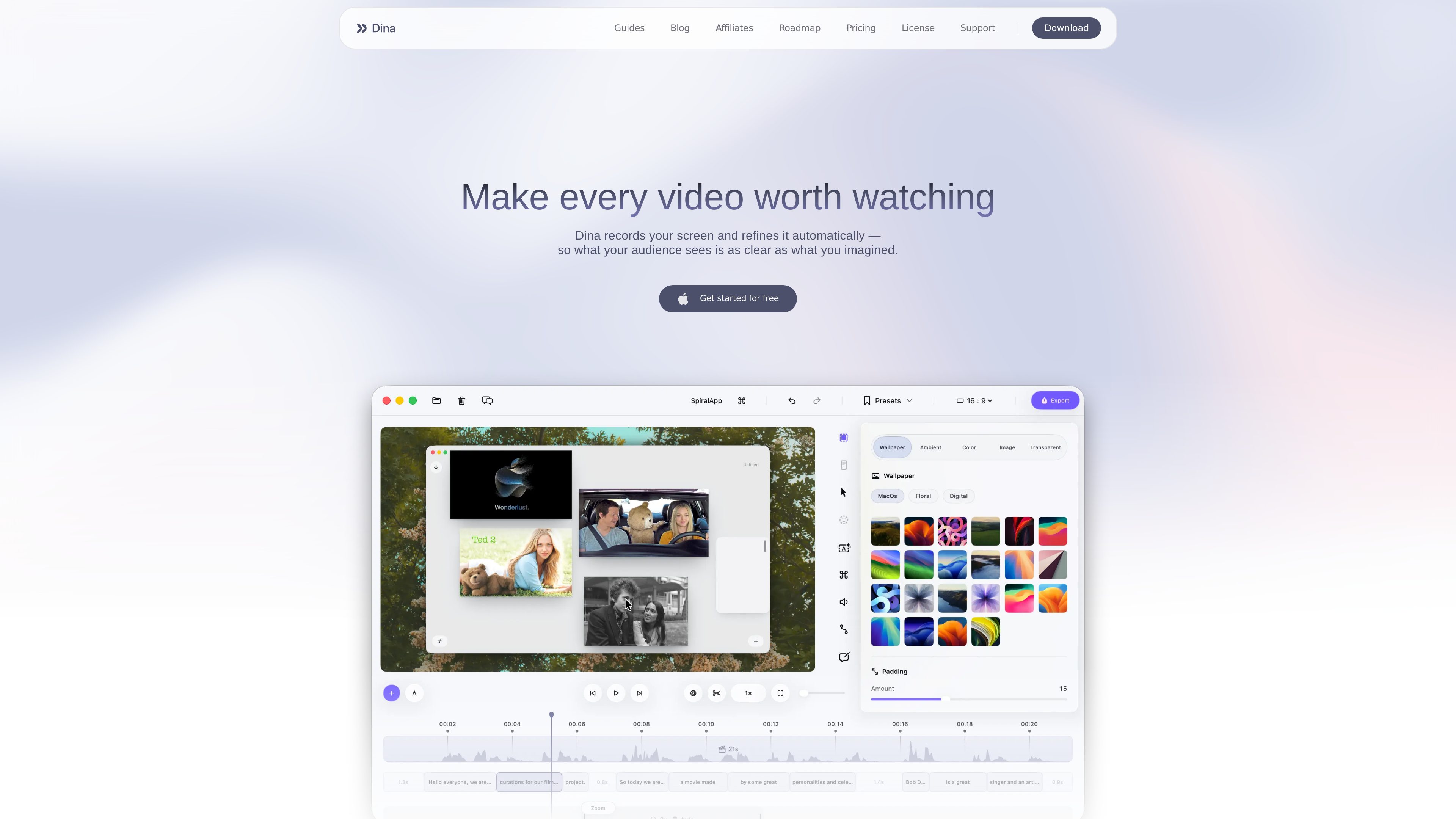
Dina is a macOS tool for recording screens and turning captures into presentation-ready videos. It records a display, window, or selected area alongside microphone, camera, system audio, cursor activity, and keystrokes.
Its editing workflow combines a timeline with transcript-based controls and presentation effects. Automatic zoom, cursor refinement, captions, layouts, annotations, voiceovers, and 3D motion help shape a recording without requiring a separate tool for each step.
Record a display, window, or selected area with microphone, webcam, system audio, and keystrokes from one control. Recording can also be paused and resumed, or scheduled for a later start.
Dina can detect key interactions and zoom into them automatically, while manual controls let you choose the focal point and adjust zoom animations.
Edit recordings on a full timeline or by changing the generated transcript. AI-assisted editing can remove words, filler phrases, and silences while keeping the video synchronized.
Use backgrounds, spacing, text, slides, masking, highlights, callouts, shapes, and arrows to organize scenes and direct attention. Cursor appearance, webcam placement, and keyboard-shortcut display are configurable.
Generate editable captions, record voiceovers into the timeline, or create AI voiceovers from a written script. Webcam size, shape, roundness, and position can be adjusted within the frame.
Add 3D camera movement, perspective, roll, distance, and depth blur. iPhone recordings can be presented in device mockups, while exports support original resolution, 4K options, and separate layers such as the cursor.
Record an application while automatic or manual zoom keeps important interactions visible. Annotations, callouts, and cursor effects can clarify the sequence for viewers.
Capture a complete workflow with system audio, narration, captions, and keyboard shortcuts, then remove pauses or filler through the timeline or transcript.
Combine screen footage with text, slides, backgrounds, and webcam video to create structured presentations or asynchronous project updates.
Record an iPhone through a USB connection or an iPhone mirroring window, then place the footage in supported device mockups for app demos and user-flow explanations.
Schedule a recording when the capture must begin unattended, save presets for recurring visual treatments, and share completed videos through generated links.
Dina is available for Mac and the download page specifies macOS Sequoia 15.0 or later.
It can capture a display, window, or selected area, along with microphone, camera, system audio, cursor activity, and keystrokes. It also supports recording an iPhone through a USB connection or an iPhone mirroring window.
Yes. Dina generates a transcript that can be edited to remove words, filler phrases, and silences, with the changes synchronized to the timeline.
Yes. You can record voiceovers directly into a project, generate AI voiceovers from text, and edit automatically generated captions for wording and timing.
The source describes original-resolution and 4K exports, separate layer exports for elements such as the cursor, and shareable links that let viewers watch without downloading or installing Dina. Specific integrations and destination services are not established.
Los datos de tráfico son solo como referencia.

isolate.video
isolate.video es una aplicación de edición de vídeo que convierte grabaciones de pantalla en vídeos de producto pulidos con zoom automático, música con AI y efectos de foco. Ayuda a quienes crean demostraciones de producto y otros vídeos grabados en pantalla a exportar un resultado final más rápido.

detail.co
App de grabación y edición de vídeo para iOS y macOS con teleprompter, subtítulos, pantalla verde y edición automática para creadores.

canvid.com
Aplicación de grabación de pantalla para Windows y Mac que combina captura, edición, subtítulos y uso compartido en un solo flujo de trabajo.

dreamcut.ai
Editor de vídeo con IA y grabador de pantalla para convertir grabaciones de pantalla en tutoriales, demostraciones y vídeos listos para compartir.

usevelo.ai
Plataforma de IA para grabar la pantalla y crear mensajes de video pulidos a partir de grabaciones, presentaciones, PDF y URL, con edición, clonación de voz y avatares.

yiqijian.com
一起剪 es un editor de vídeo online y herramienta de creación con IA para convertir guiones en vídeos, procesar subtítulos y voz, renderizar en la nube y publicar con un clic.